Basics: site & content
Whether or not your site sells anything or runs courses, you will use everything in this section.
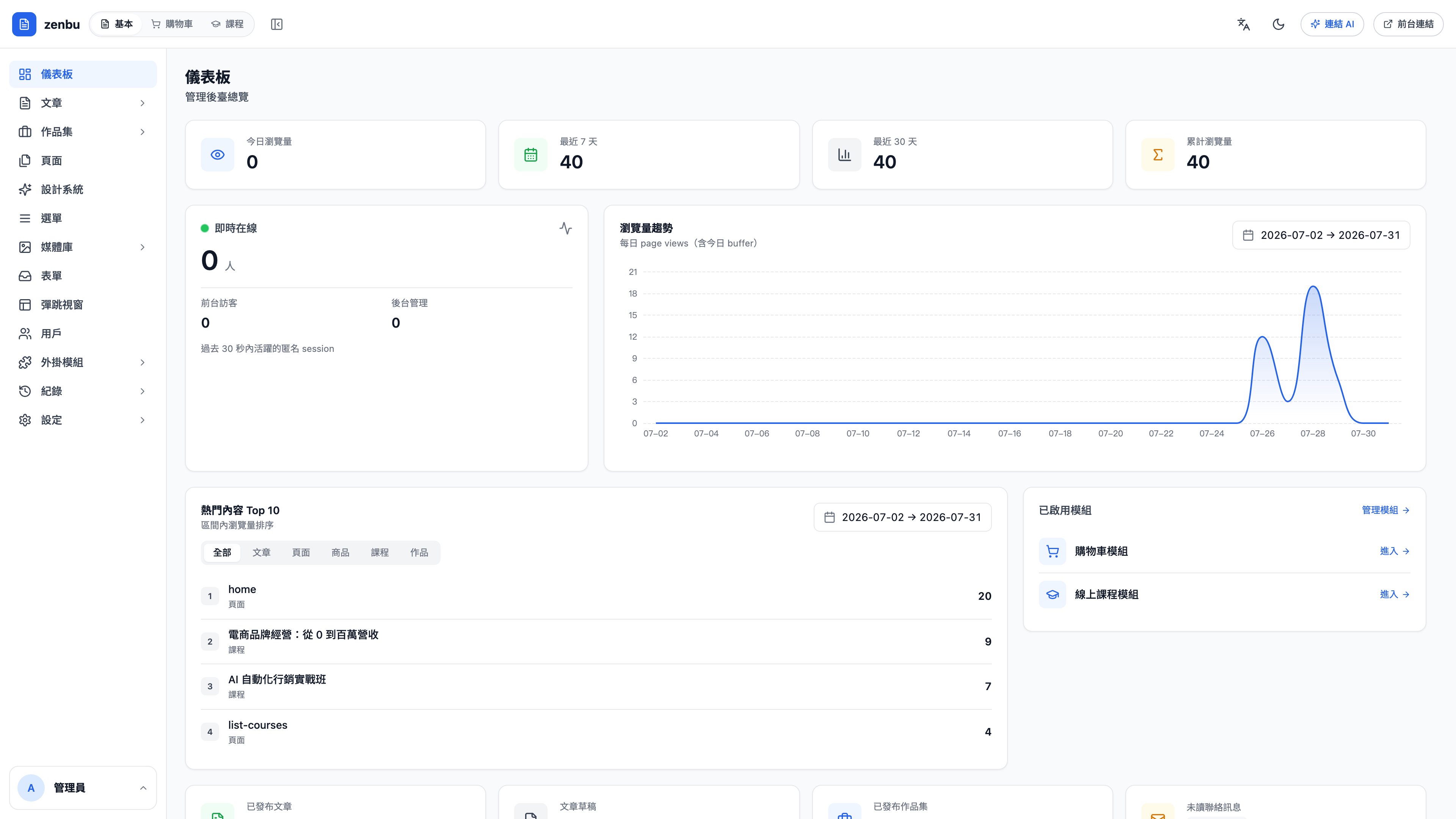
What's in this section
| Feature | What it does |
|---|---|
| Articles | Blog posts and knowledge columns. Includes categories and tags |
| Portfolio | Case studies and project showcases. Managed separately from articles, with its own categories |
| Pages | Fixed pages such as your home page or About us |
| Design system | Site-wide colors, fonts, corner radius and type scale. Change it once and the whole site follows |
| Navigation | The link structure of your nav bar and footer |
| Media library | Images and files |
| Forms | Contact and signup forms, including the notification emails sent on submit |
| Popups | Popups such as first-purchase discounts or newsletter signups |
| Members | Your registered members. The same people as cart customers and course students |
| Built-in templates | Built-in layouts such as the article detail page and the product detail page |
| Modules | Turn the Cart and Course modules on or off |
| Logs | Audit trail, email logs and sign-in history |
| Settings | SEO, email sending, team, tracking codes, redirects and security |
The three things people mix up first
Question: What's the difference between articles and pages?
Articles are things that keep accumulating and have a chronology — blog posts, knowledge columns. They have categories and tags, and the public site gets a listing page for them. Pages are the handful of fixed ones — home, About us, Contact us. You don't keep adding them, and there's no listing.
Question: And how is the portfolio different from articles?
The two are structurally similar, but their categories and layouts are separate. The portfolio suits image-led content presented in a grid — case studies, projects, product-in-use shots. Articles suit long-form text meant to be indexed by search engines. Keeping them apart means your blog categories don't get tangled up with your case study categories.
Question: Are members, customers and students the same list?
Yes. The same person is called a "customer" in the cart and a "student" in courses, but underneath they are all members. So if someone buys a product and then enrolls in a course, you'll see both records on their member page.