Products
Everything you sell starts here.
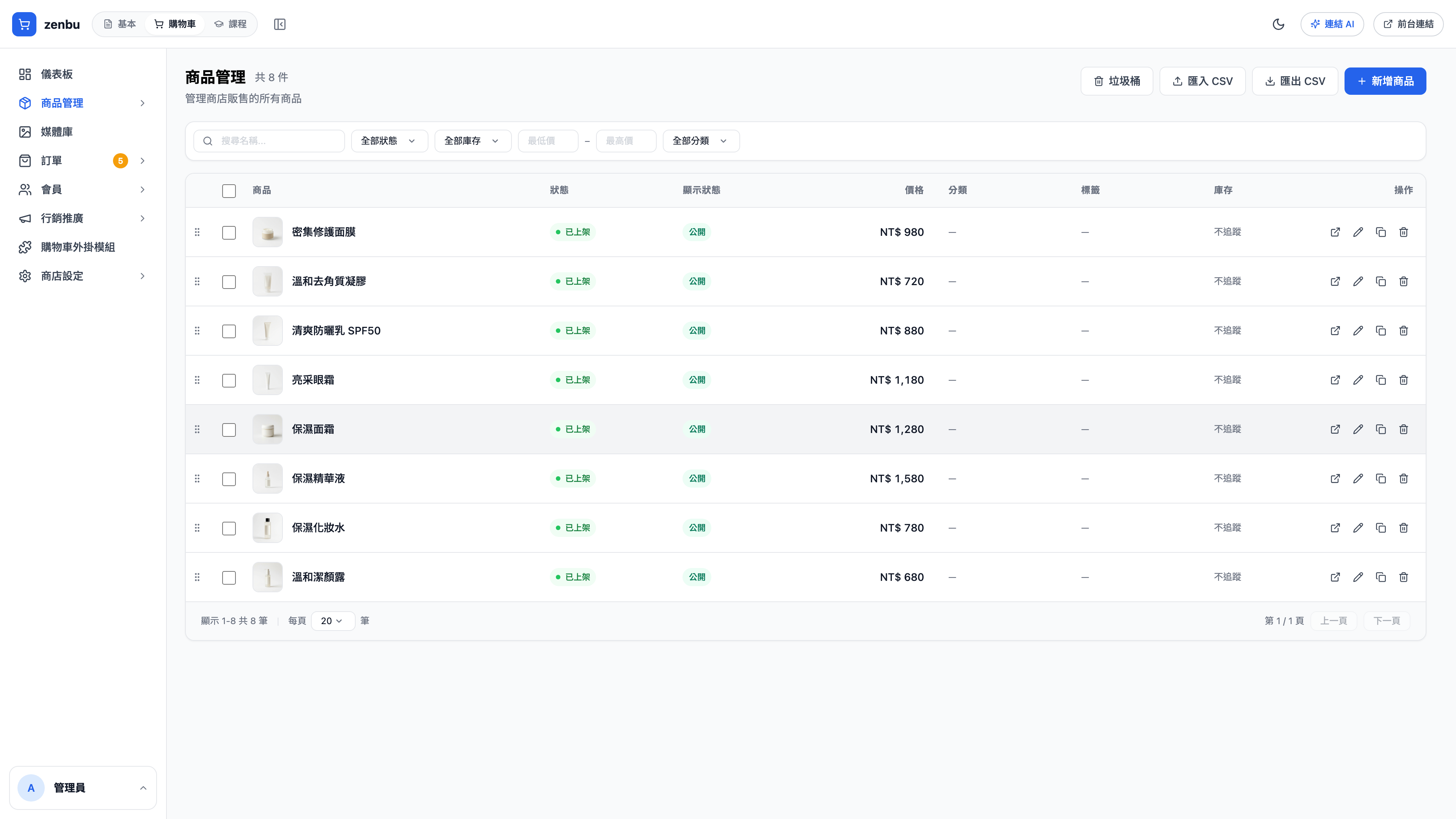
What the list shows
Product name and thumbnail, status (published / draft), display price, category, stock and tags. You can filter by status, category and tag, and search.
Creating a product
- New product, top right
- Fill in the name and the slug (Latin alphabet)
- Upload images — the first one is the list thumbnail
- Write the description
- Set the price and stock
- Add variants if you need them (see below)
- Choose a category and collections
- Set the status to Published
Variants
Use variants when one product comes in several choices — size, color, volume.
Each variant can have its own price, stock and image. A serum with 30 ml and 50 ml variants, for instance, tracks price and stock separately while sharing one product page and description.
Question: How many levels of variants are allowed?
Two — color × size, for example. More than two usually means it should be split into separate products anyway, and it's less confusing to choose from on the public site.
Don't delete a variant that already has orders
Once it's deleted, historical orders can no longer find the matching product details. To stop selling it, set that variant's stock to 0 or unpublish the whole product — don't delete it.
Bulk import and export
Import CSV and Export CSV sit at the top right. This is the fastest route when migrating or repricing in bulk — export first to see the column format, edit, then import back.
Use case: migrating 39 products in one go
A stationery brand is moving from another platform: 39 products, each with 2–4 variants. The approach is to build one complete product by hand in the admin (variants included), export it to CSV as a template, fill in the old platform's data to match, then import.
39 products with variants, done in 20 minutes — far quicker than building them one at a time.