Course content
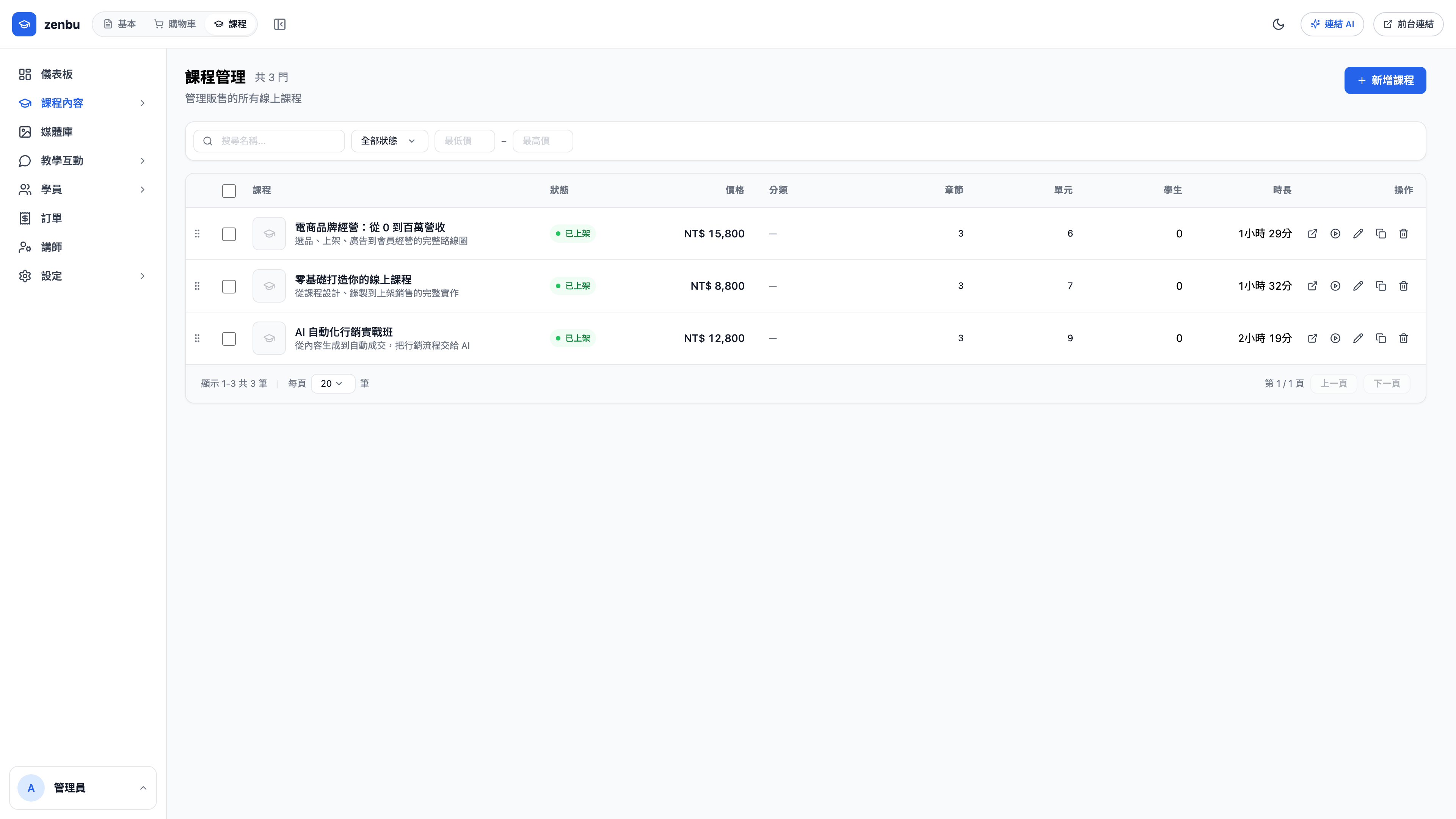
The course itself. Chapters and lessons, video, materials and pricing all live here.
What a course is made of
Course
├─ Basics (title, summary, cover, price)
├─ Chapter 1
│   ├─ Lesson 1-1 (video)
│   ├─ Lesson 1-2 (video + materials)
│   └─ Lesson 1-3 (assignment)
├─ Chapter 2
└─ Sales plans (single chapter / full course / subscription)
Creating a course
- New course, then fill in the title, summary and slug (Latin alphabet)
- Lay out the syllabus on the Chapters & lessons tab
- Upload video or materials to each lesson
- Configure how it sells under Sales plans
- Set the status to Published
Question: Where do the videos go?
Upload them on the lesson itself; the system transcodes them and plays them back over streaming. You can also paste a YouTube link, but then there's nothing stopping a student passing the link on — upload directly if you want the content protected, and turn on watermarking under course settings.
Question: Can one course be sold several ways?
Yes, using sales plans. You might offer the same course as "single chapter NT$1,200", "full course NT$8,800" and "monthly subscription NT$599" — whichever a student buys unlocks the matching lessons.
What the classroom looks like
Once a student buys, this is the playback interface they see on the public site — the syllabus on the left, the player on the right, discussions and assignments below. You can see it directly by clicking Preview classroom in the course editor.
Editing a course that already has students
You can reorder chapters, but don't casually delete them
Deleting a lesson also deletes the progress of everyone who has already watched it. To retire a lesson, set it to hidden rather than deleting it.