Design system
Define the site's visual language once here, and every page picks it up. This is the biggest difference between zenbu site and an ordinary page editor — changing your primary color doesn't mean editing page after page.
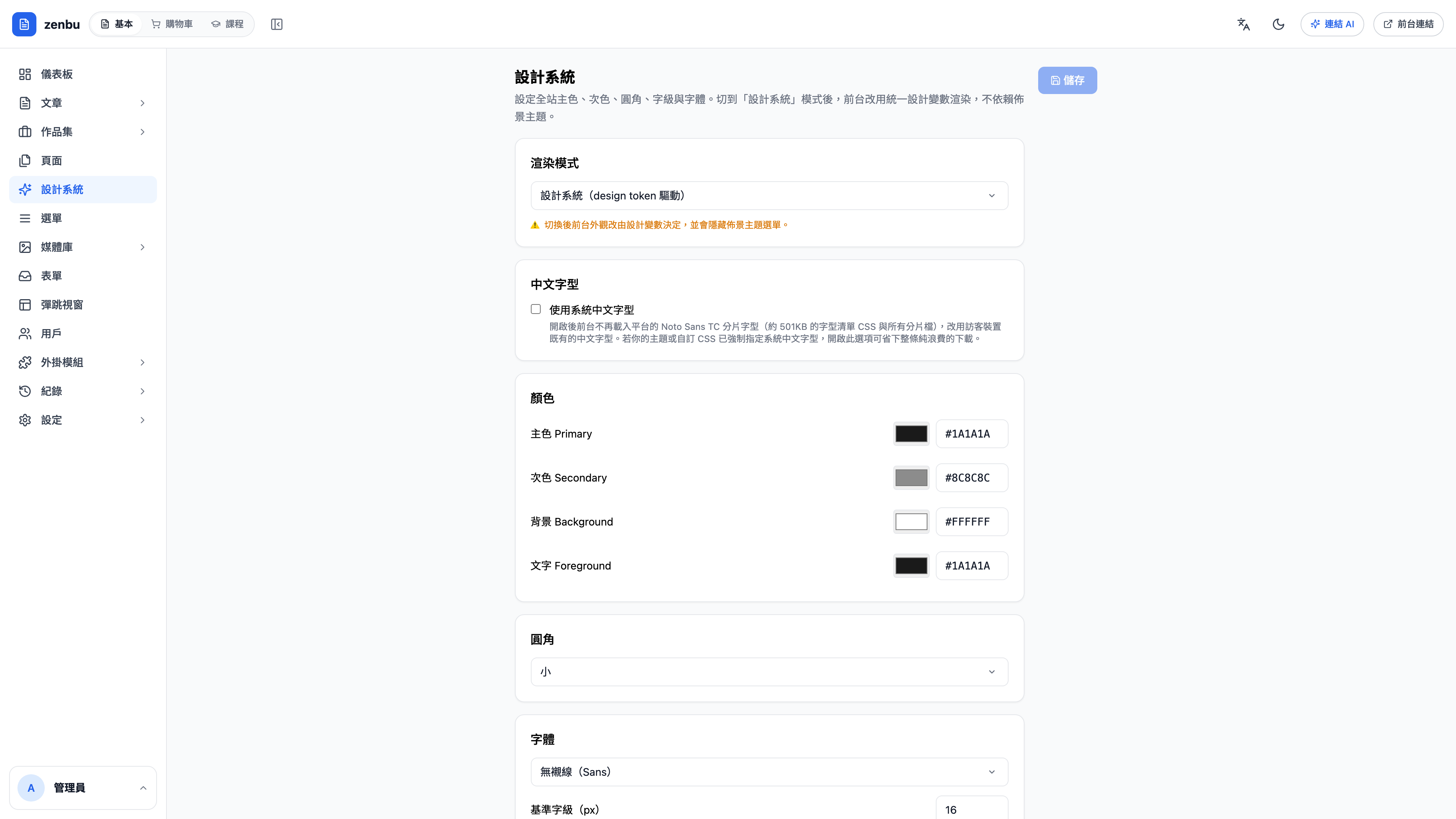
What you can define
| Category | Contents |
|---|---|
| Colors | Primary, Secondary, Background, Foreground |
| Fonts | Chinese typeface, Latin typeface, base type size |
| Corner radius | Site-wide corner radius (small / medium / large) |
| Computation mode | Derive light and dark steps from design tokens, or specify each one yourself |
Why go through the design system?
When a page picks a color, don't hard-code #1A1A1A — use a variable. That way:
- Change the primary color → buttons, links, tags and focus outlines all change together
- Seasonal refresh or rebrand → edit one setting instead of rebuilding pages
- Dark mode → the same set of variables maps to dark values automatically
Pages with hard-coded colors won't follow
If a page is raw HTML pasted straight in with color codes written into it, that page ignores the design system. When you rebrand it becomes the one page that didn't keep up — so use variables from the moment you build the page.
Question: Will changing this affect content that's already published?
Yes, and it takes effect immediately — that's the point. It's worth making the change off-peak, then opening your home page, an article page and a product page to check.
Use case: a seasonal rebrand in ten minutes
The skincare brand "Su Yan" wants to move the whole site from off-white to warm brown for winter. In the design system they change the primary color from #8A6F4E to #6B4F3A and the background from #F6F2EA to #F2EBE1, then save.
The home page, 8 product pages, 9 articles and the newsletter template all change with it. The only thing needing separate attention is the hand-made campaign banner image on the home page.