Orders
Everything that happens after a customer checks out lives here.
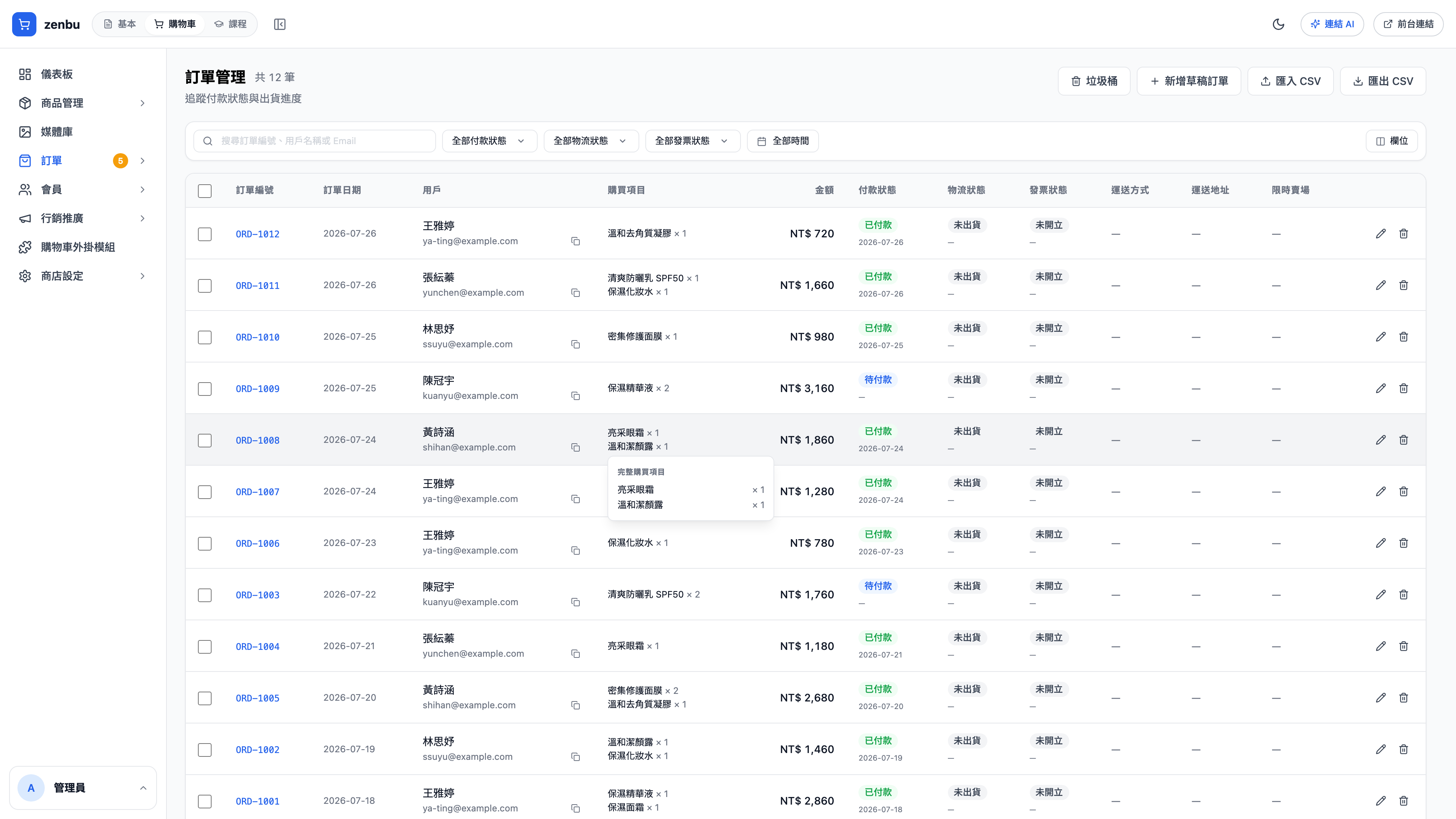
The statuses on an order
An order carries three independent statuses at once. Don't read them as one thing:
| Status track | Possible values | Who changes it |
|---|---|---|
| Order status | Pending / Processing / Completed / Cancelled | You |
| Payment status | Unpaid / Paid / Refunded | Set automatically by the payment callback, or manually |
| Fulfillment status | Unshipped / Shipped / Delivered | You, or reported back by the carrier |
Question: Why does an order say "Paid" while the order status is still "Pending"?
Because they're two different things — the money has arrived, but you haven't started picking and packing. That's normal, and it means the order is ready to enter your fulfillment process.
Common actions
- Change a status: open the order detail and change each track separately
- Add a note: internal notes aren't visible to the customer, which suits things like "customer called to change the address"
- Refund: set the payment status to Refunded, and the amount is written back to the payment records
- Resend a notification: if a customer says they never got the shipping notice, send it again
How this connects to everything else
- Shipping needs a tracking number → configured under Store settings → Shipping
- Issuing invoices → Store settings → Invoicing
- A customer wants to return something → use the returns workflow rather than editing the order status directly
- Added to cart but never checked out → see abandoned cart
Don't move a completed order back to pending
Moving a status backwards puts notification emails and stock calculations out of sync. To deal with a problem on a completed order, use returns or create a new compensating order.