What is zenbu site?
zenbu site is a full-stack website platform driven by AI. You describe the site you want in one sentence and it generates the layout, the copy, the products and the articles together. Once it exists, everything a website needs behind it — the e-commerce cart, online courses, members, payments, contact lists — lives in that same admin.
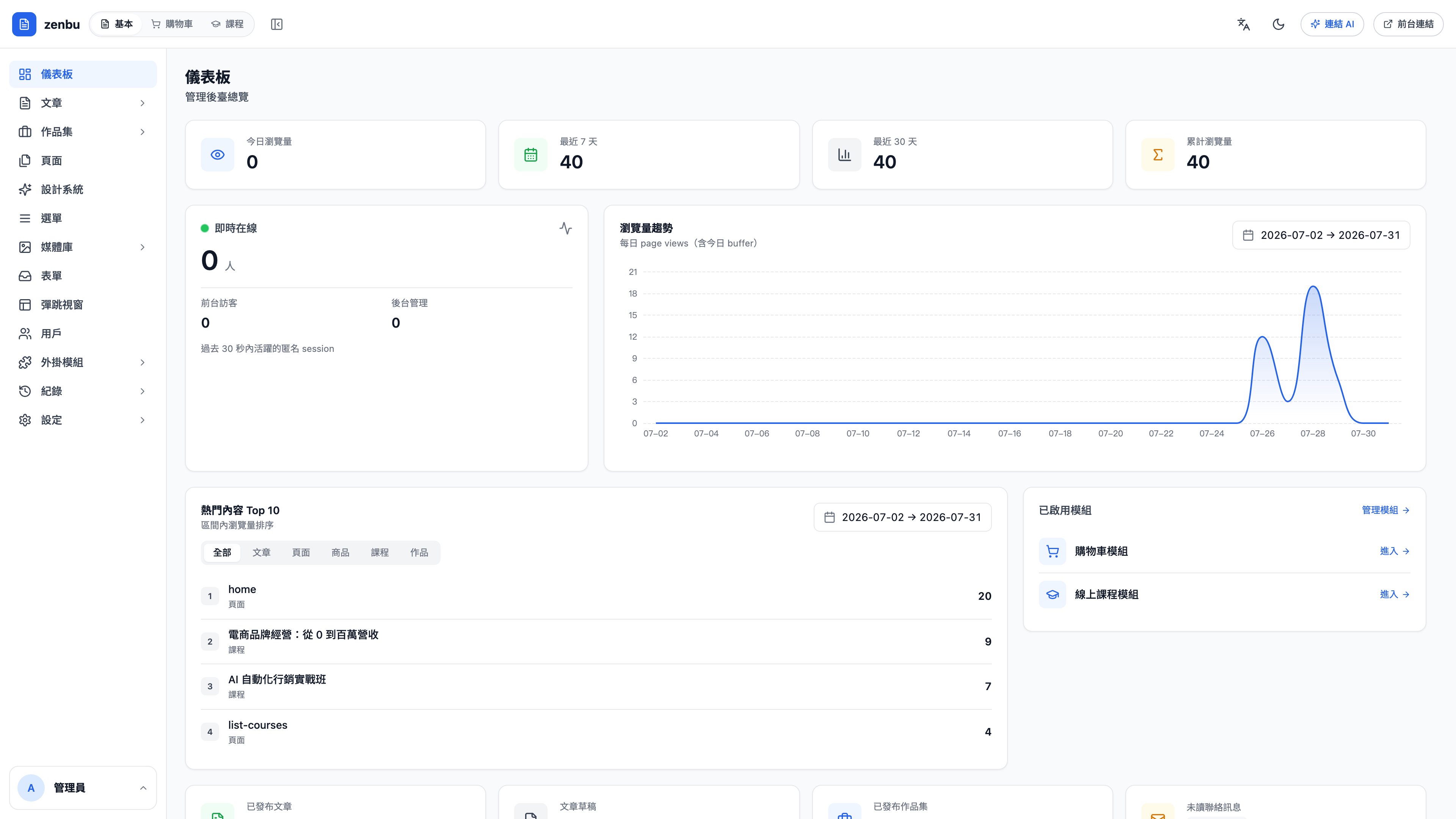
How is this different from an ordinary site builder?
An ordinary site builder is finished once the site is built. After that, taking payments means bolting on an e-commerce tool, running courses means another course system, sending a newsletter means a third. Every tool you bolt on is one more account, one more monthly fee, and one more set of records that don't reconcile.
zenbu site keeps all of it under one admin, one member list and one payment setup.
How is the admin divided up?
The tabs along the top switch between four sections:
| Section | What it handles | When you'll need it |
|---|---|---|
| Basic | Articles, portfolio, pages, design system, navigation, forms, popups, members, logs | Every website uses it |
| Cart | Products, orders, discounts, inventory, shipping, affiliates, flash storefronts, subscriptions, points | You want to sell and take payment on the site |
| Course | Course content, chapters and lessons, students, instructors, the classroom, assignments and comments | You want to run online courses |
| Connect AI | Opens the admin up to AI control (MCP) | You want to change the site by talking to it |
Cart and Course are modules — sites that haven't enabled them won't see those two tabs. To enable them, go to Modules.
Question: Do I have to use all three?
No. If you just want a brochure site, use Basic only; enable Cart when you want to sell; enable Course when you want to teach. Modules can be switched on and off at any time, and turning one on doesn't affect existing content.
Where should you start on day one?
- Design system — pin down the site-wide primary color, fonts and corner radius first. Change it here once and every page follows
- Navigation — decide what goes in the nav bar
- Pages — the home page and your other fixed pages
- Articles — start writing content
- Selling? → Products. Teaching? → Course content
The order matters
Settle the design system before you build pages. Do it the other way round and you'll later find that some pages hard-coded their colors and won't follow when you change the primary color.
Next
- Basics: site & content — articles, pages, design system, forms
- Cart: selling on your site — products, orders, payments, shipping
- Courses: teaching online — course content, students, the classroom