Customers
Everyone who books enters this list automatically (on their first booking the system creates a member record from their LINE profile).
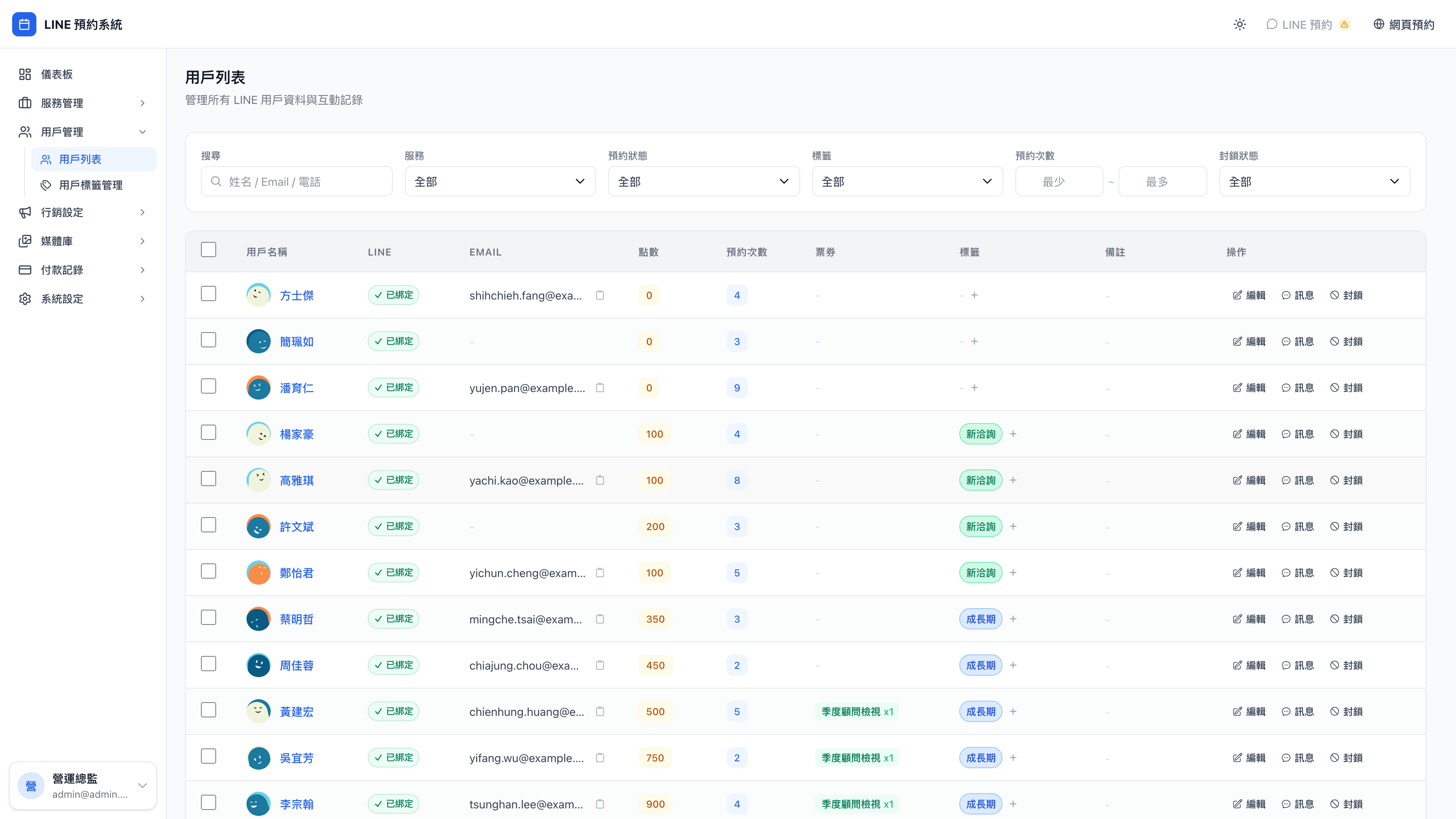
Search and filters find a particular group of clients quickly:
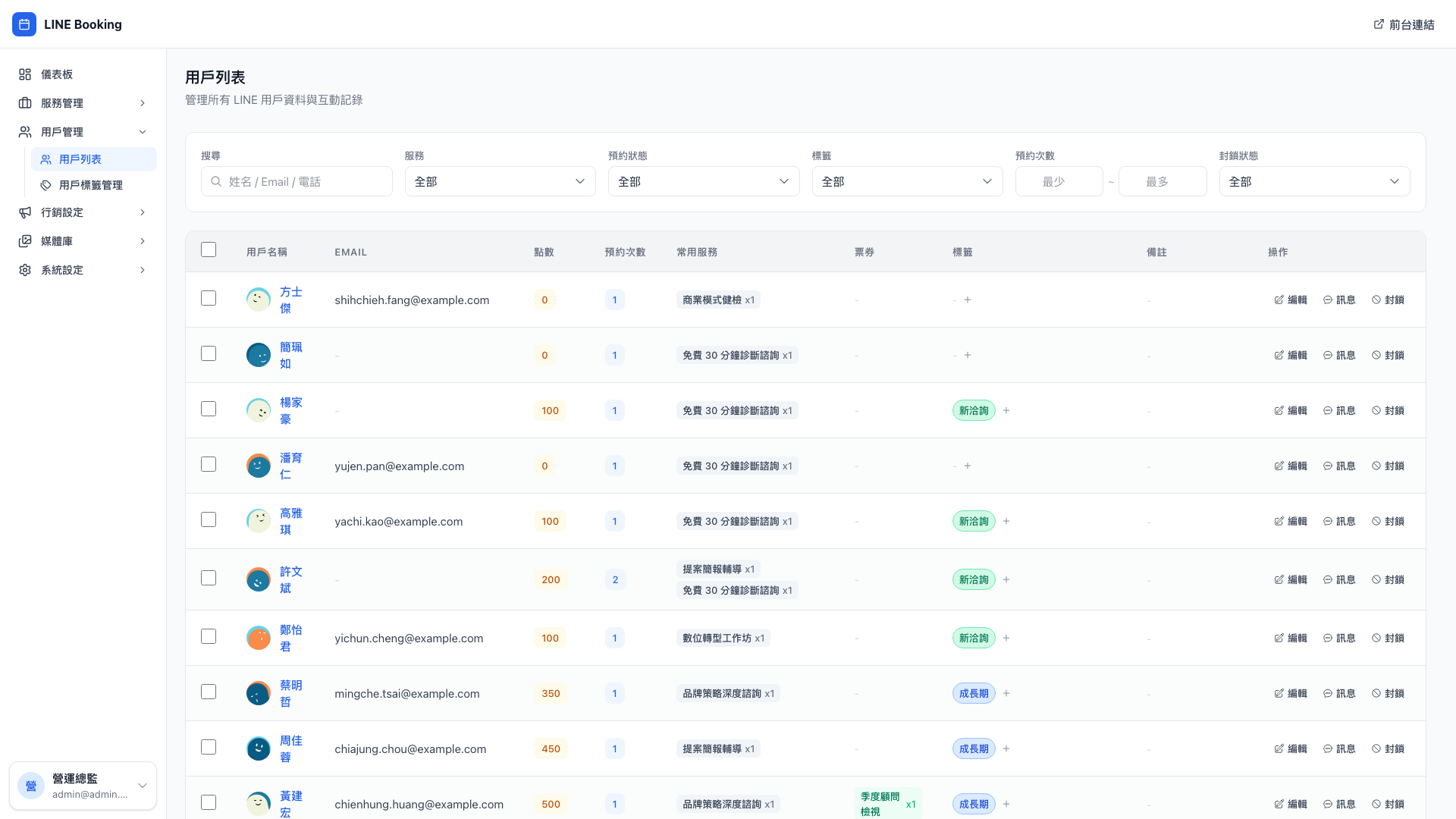
Clicking a row opens a detail drawer holding their full history and action buttons:
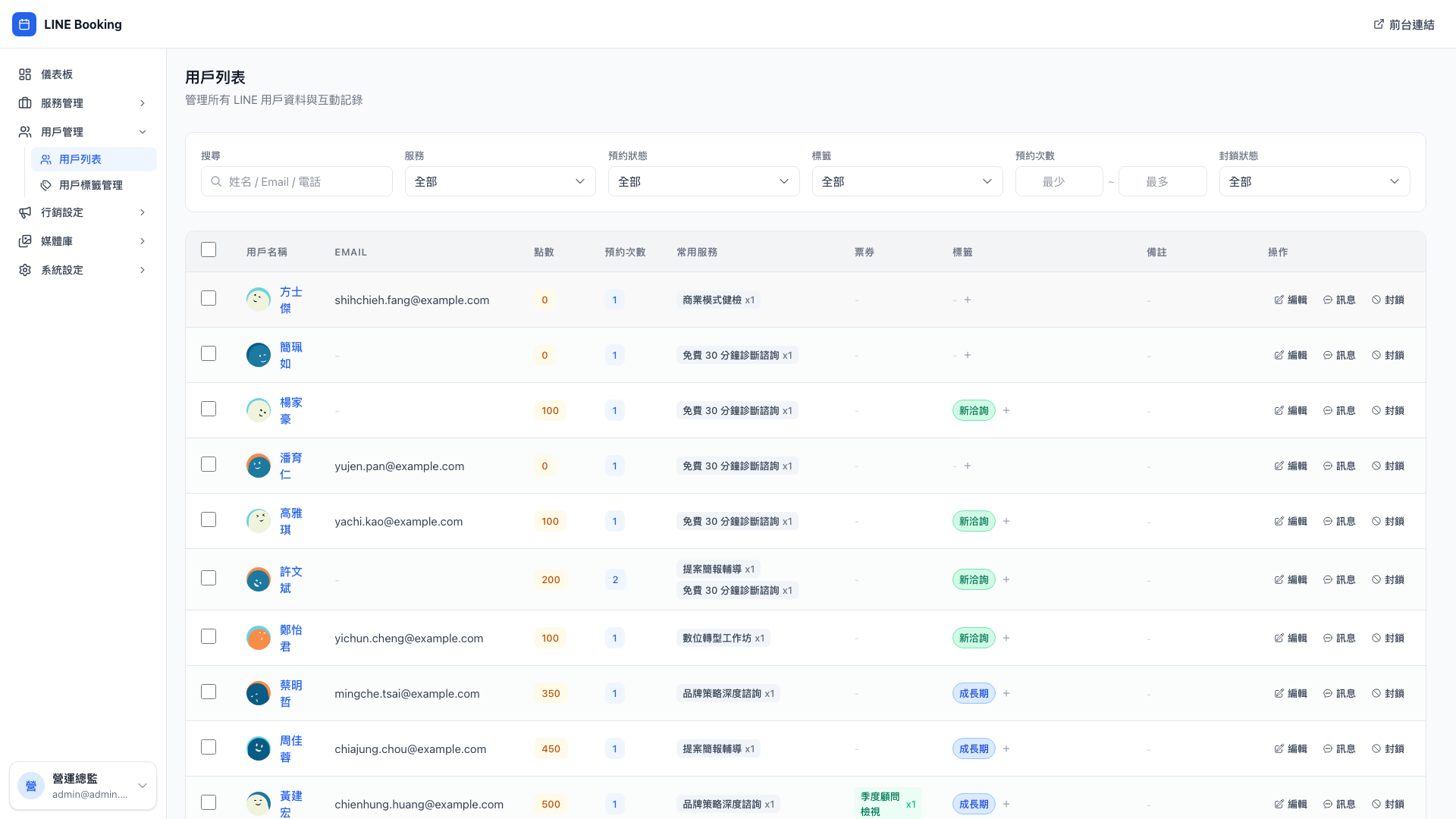
What you see on each customer
| Data | Where it comes from |
|---|---|
| LINE avatar and display name | Their LINE profile |
| Name, phone, email | What they entered when first booking |
| Birthday | Entered by them, or by an admin |
| Points balance | Accumulated automatically (campaign rewards, service completion rewards) |
| Unused tickets | Issued by campaigns, or by an admin |
| Tags | Applied by automatic rules, or by an admin |
| Booking history | Every visit |
| Notes | Written by admins ("food allergy", "asks for Daniel", "prefers mornings") |
Use case: greeting a client by name as they walk in
Ms. Lin walks into the office; you search for her in the admin and see:
- Last visit 3/15, business model review (with Daniel)
- Currently 1,500 points
- Tag: strategic tier
- Note: "Second-generation successor in a family manufacturing business; her mother opposes the transformation. Avoid anything that sounds like criticism of her mother in meetings."
You're prepared before you reach the meeting room, and Daniel opens with "last time we talked about your father's concerns over the transformation plan — any progress this month?" The client immediately feels that this firm actually remembers her, and trust goes straight up.
That's the system's real value — not bookkeeping, but remembering people for you. Counseling practices, law firms, aesthetics clinics and long-term tutors all depend on it.
Search and filters
- Keyword (name, phone, LINE name)
- By tag (strategic tier only, new enquiries only…)
- By last booking date ("nothing in over 3 months")
- By points / ticket balance
Use case: finding dormant clients to win back
Open the customer list → filter to "no booking in over 90 days" plus the tag "growth stage" → and you have a set of people you used to work with who have disappeared.
Send them a LINE message: "{{姓名}}, it's been a while 👋 Six months ago in your QBR we said we'd follow up on the overseas channel — how has that gone? Shall we book a 30-minute check-in?" Personal, and remembering their actual issue, this typically wins back 20–30% of dormant clients.
Similar elsewhere:
- Aesthetics: pull clients who had laser treatment but haven't returned in 6 months, and send a follow-up offer
- Tutoring: pull students who didn't re-enroll after term ended, and send a new-term offer
What you can do with one customer
Clicking a row opens their detail drawer, where you can:
Adjust points
Add or subtract points by hand, with a required reason:
- "Compensation for a delayed consultation +300"
- "Duplicate ticket refund reversal −100"
The reason is written into the points transaction log and visible later in accounting.
Question: Can I add points to many people at once?
Not currently — there's no bulk points feature. Where you'd want that, use a campaign that issues tickets instead: campaigns can be limited to specific services and given an expiry, which is more flexible than adding points directly.
If you genuinely need bulk points (compensating for an outage, say), add them one at a time, or ask technical support to handle it in bulk on the database.
Issue or revoke tickets
Give a client a ticket by hand ("one brand strategy consultation ticket" as a loyalty gesture, say).
Add or remove tags
Apply a tag by hand, or remove one they already have.
Question: What's the difference between a manual and an automatic tag?
Where it came from. An automatic tag comes from a rule you configured under customer tags ("cumulative spend of 30,000 → tag strategic tier"). A manual tag is one you added here yourself.
The system distinguishes the two, so when you come back later wondering why a client carries a given tag, you can tell whether a rule decided it or a person did.
Send a message (LINE / email)
Message the client directly from the admin, without opening the LINE app.
Block
Once blocked:
- Their booking attempts fail
- The system sends them no further LINE or email messages
- Their history remains; there just can't be any new interaction
Use case: who should be blocked?
- Three or more consecutive no-shows (occupying slots and not turning up)
- Unreasonable demands, threats, or harassment of staff
- Spreading false reviews on social platforms
- In consulting or counseling, leaking meeting content or publishing it out of context
For clients like these, blocking outright is cleaner than endlessly tightening the rules. The list shows a "blocked" marker, so a colleague doesn't take them again by mistake.
Bulk group messages
Ticking several rows in the list reveals a Send message button above, letting you send one message to many clients at once.
Use case: segmented seasonal greetings or a new service announcement
Before New Year: filter to "tag = strategic tier" plus "booked in the past 90 days" → select all → send: "{{姓名}}, thank you for working with Mingjing this year 🙏 We've held slots in the first week after the holiday for a strategic anchoring session, reserved for strategic tier clients. Would you like one?"
Contextual, segmented messages like this perform 3–5 times better than a single blast to everyone. The trick is two things: (1) send only to a specific segment; (2) make the content relate to their situation and needs.
Note: don't broadcast too often
LINE reduces reach for Official Accounts that too many users block — put simply, send too much and too indiscriminately and LINE will quietly stop delivering your messages.
A healthy cadence: at most one or two proactive broadcasts a week. Precision (segmented, and worth reading) beats volume by a long way.