Marketing messages
A more capable tool than automated reminders. Rather than sending one message, it sends a series of messages spaced over time — drip irrigation, gradually making clients familiar with you.
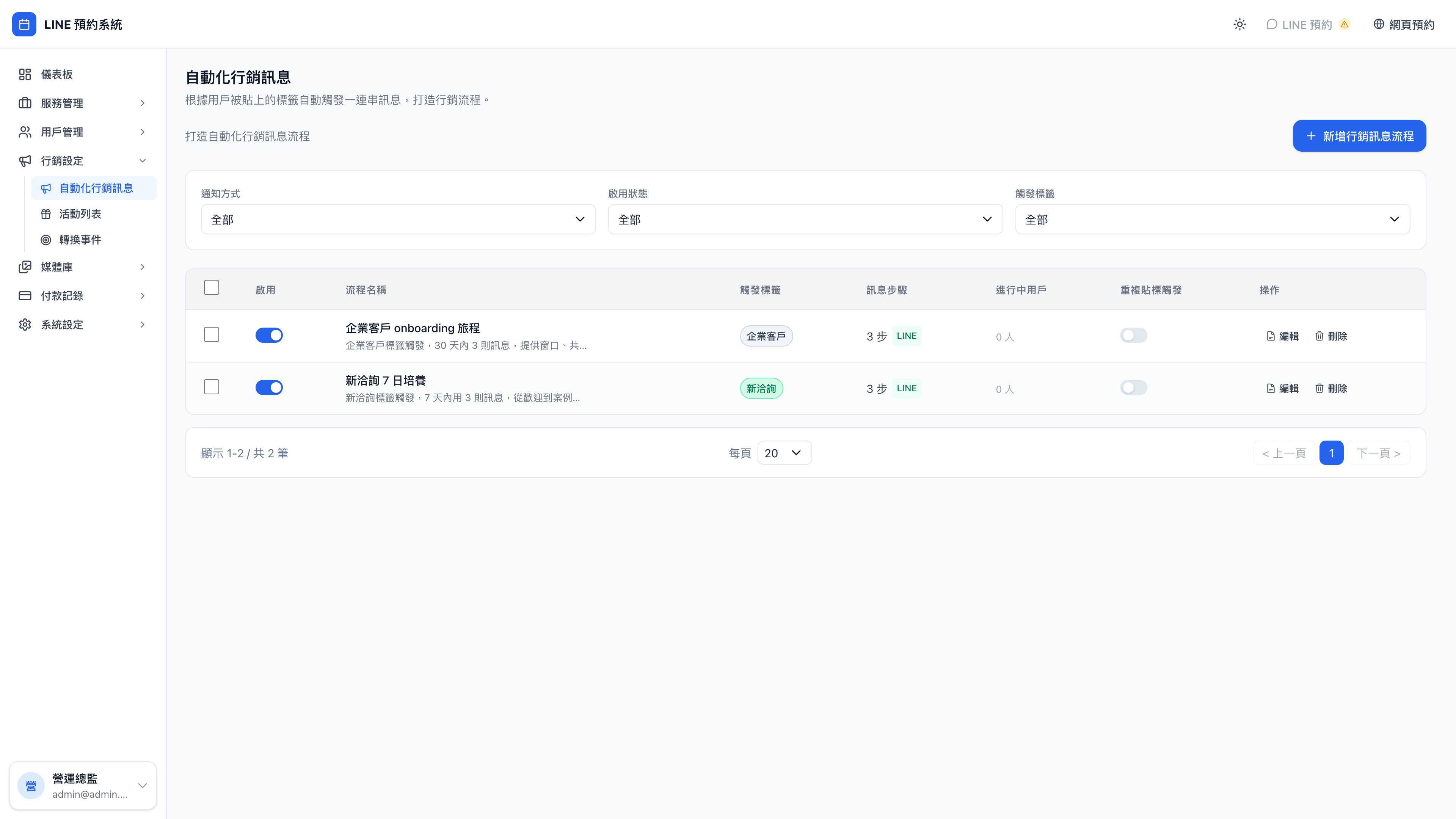
Opening a sequence shows each step and its message template:
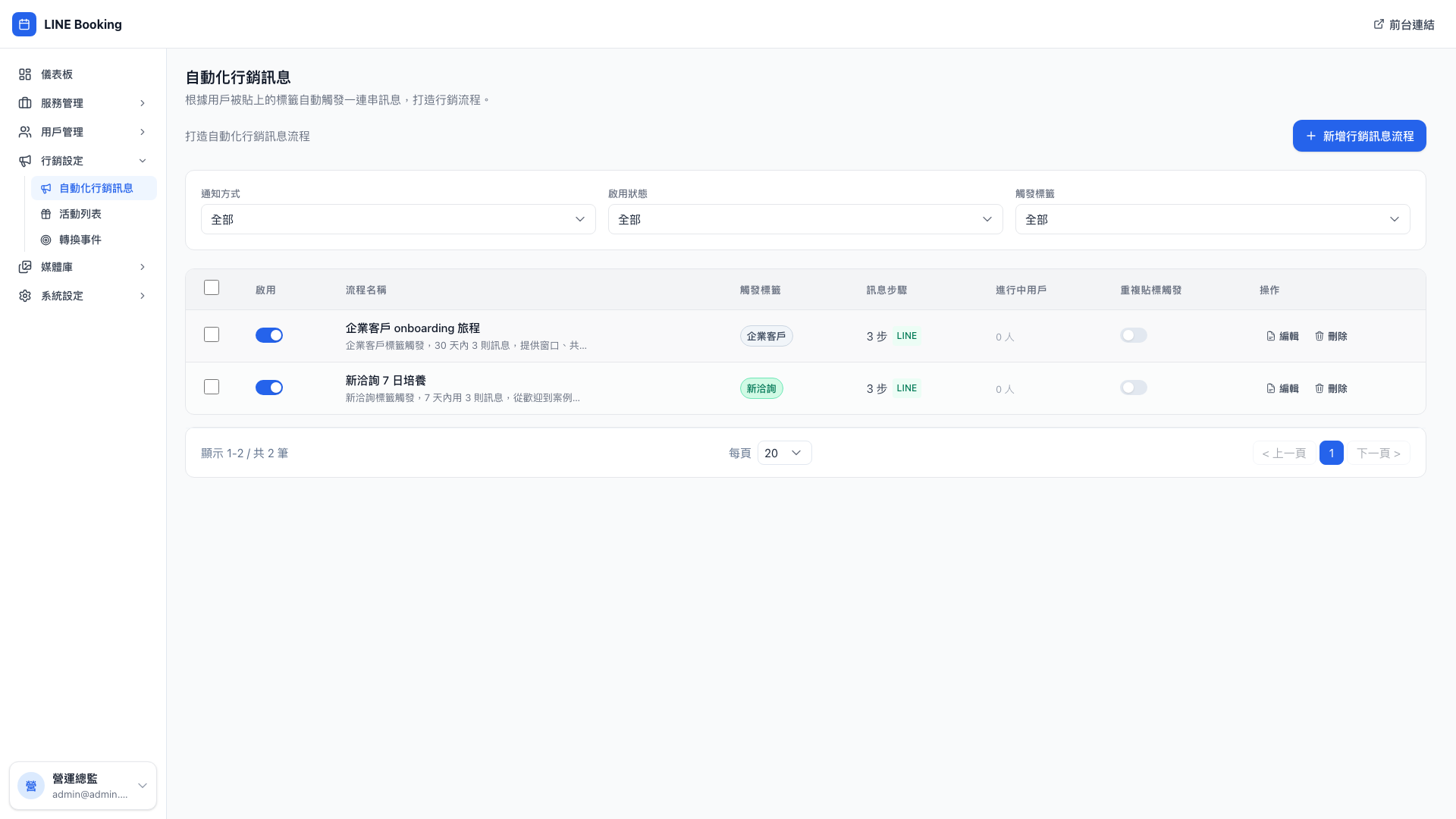
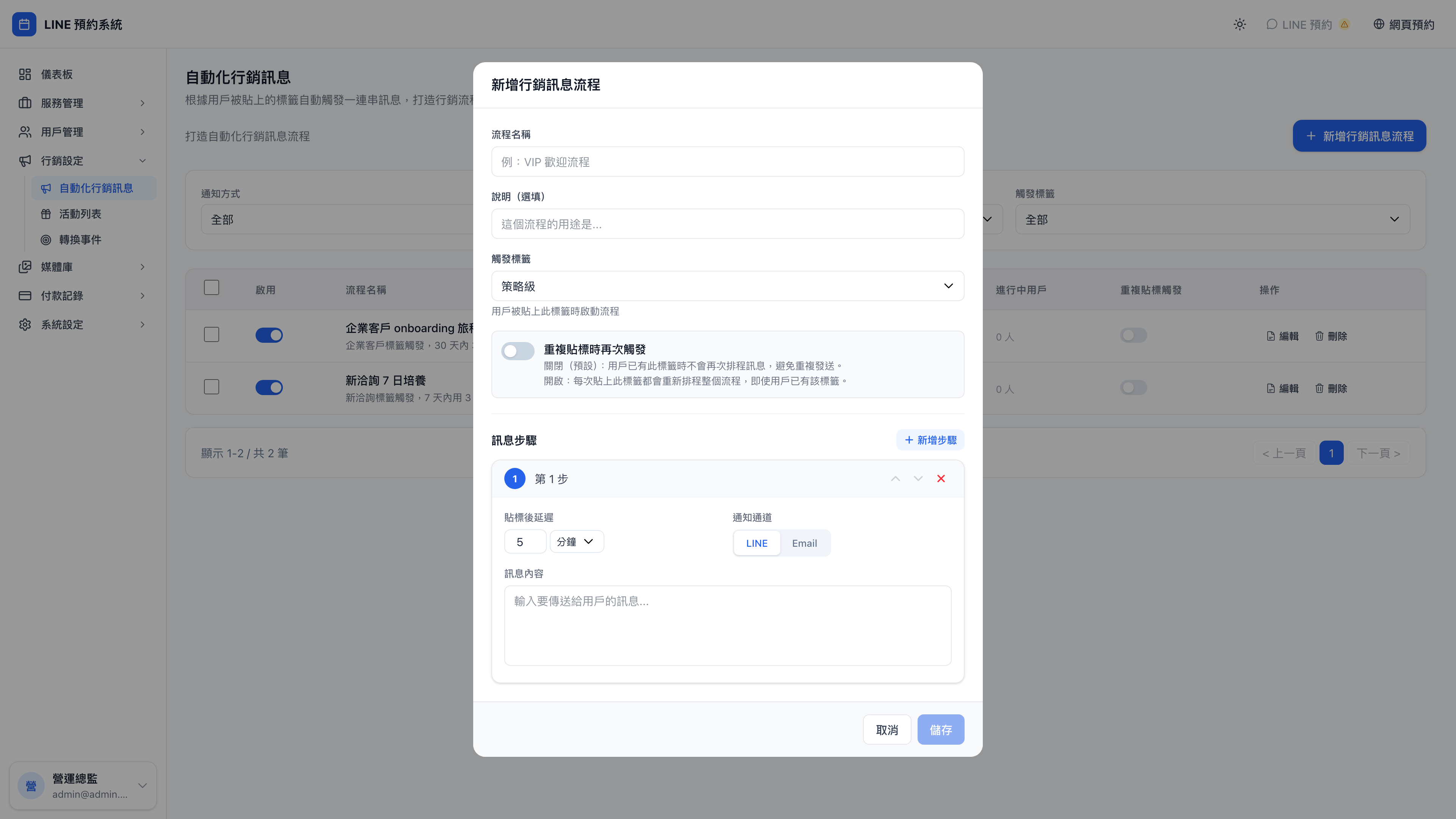
The new sequence screen:
How this differs from automated reminders
| Automated reminders | Marketing messages | |
|---|---|---|
| Trigger | Booking-related (after booking, before/after the service) | Various (a tag being applied, a campaign reward being claimed…) |
| Structure | A single message | A sequence, several messages at set intervals |
| Conditions | Service, recipients | Can target tags and campaigns |
| Who receives it | The booking's client / provider | Whoever the rule targets ("all new members") |
Use case: the two coexist without conflict
An automated reminder: Mr. A has a business model review next Friday, and the system sends "you have a business model review tomorrow" on Thursday evening — a reminder about this particular booking.
A marketing message: Mr. A is a new enquiry who added you on LINE five days ago, and is on day 5 of the "new enquiry 7-day nurture" sequence. Today the system sends "here's a restaurant brand case study: we cut 40% of the menu and single-store monthly revenue rose 28%…" — a message about him as a member.
The two systems operate independently. Mr. A receives both on the same day, and the purposes are different.
What a sequence is
A sequence contains:
- A trigger condition ("when the new enquiry tag is applied")
- Several messages, each with a "how long after the trigger" setting
- Sent over LINE or email
- Variables in the message ({{姓名}} and so on)
The demo business's default sequences
1. "New enquiry 7-day nurture"
Trigger: the client is tagged "new enquiry" (usually applied automatically on adding you on LINE)
| Timing | The gist |
|---|---|
| Immediately | A welcome message plus a link to book the free 30-minute diagnostic |
| After 3 days | A real case study (a restaurant brand) plus another call to action |
| After 7 days | A final reminder that the 300 new-client points are about to expire |
The purpose of this sequence: get a newly acquired contact to their first booking within a week. Research shows that a member who takes no action within 7 days of joining is far less likely to become an active client later.
2. "Enterprise client onboarding"
Trigger: the client is tagged "enterprise" (usually applied by hand after a contract is signed)
| Timing | The gist |
|---|---|
| Immediately | Thanks for the partnership, plus the kickoff rhythm for the next 30 days |
| After 14 days | A mid-point sync: interview insights have been sent; next week we align |
| After 28 days | A suggested QBR time for month end, plus a booking link |
Enterprise sequences typically run longer, use a more professional tone and carry denser information — because the contact is usually a procurement or manager-level person who wants professionalism and a clear cadence.
Use case: designing your own post-service follow-up sequence
If you notice most clients need follow-up around 60 days after a consultation, design this sequence:
- Trigger: completed a given service (paired with the tag "recently had a business model review")
- Day 30: "Hi {{姓名}}, how have the three priorities we discussed been going?"
- Day 45: "I've put together three key steps clients take when making this kind of change — sharing them for reference"
- Day 60 (if they still haven't booked): "It's about time for the next review — {{提供者}} has slots this week"
Spread across 30 days, it brings clients back gradually. Firing everything at once works far less well than a gradual approach.
Examples elsewhere:
- Aesthetics: three-stage follow-up at 6 weeks, 3 months and 6 months after a treatment
- Tutoring: one wave at end of term, one before the new term starts, one after it begins
- Counseling: check-ins at 1 month, 3 months and 6 months after a case closes
Creating a sequence
- Press New marketing sequence
- Name it ("post-service follow-up")
- Choose the trigger tag (the sequence starts when this tag is applied)
- Choose whether it re-triggers (see below)
- Add message steps:
- Step order (0, 1, 2…)
- Delay (relative to the trigger, in minutes)
- Channel (LINE / email)
- Message content
What is re-triggering?
By default: a client is tagged "new enquiry" → the sequence fires → they're marked as having run it, and even if the tag is removed and reapplied later, it doesn't run again.
With re-trigger ticked, every application of the tag starts the sequence afresh.
Question: When should re-triggering be on?
In most cases, leave it off. The reasons:
- Receiving the same set of messages twice feels bad
- Re-triggering easily produces scheduling chaos (the previous round hasn't finished and a new one is already queued)
When to turn it on: for a tag like "birthday this month", reapplied annually, where you want the birthday greeting to fire every year. That's the case for it.
If you're unsure, leave it off — you can always change it later.
What if a message gets stuck?
Every scheduled message has one of three states:
- Pending: its time hasn't come
- Sent: it went out
- Failed: sending errored (the client blocked your Official Account, a bad email address…)
Question: Are failed messages retried automatically?
No. A failure is recorded and not retried. Common causes:
- The client blocked your LINE Official Account → nothing can be done; it can never be delivered
- A wrong email address → the client has to correct it
- An expired LINE Channel Token → just update it in system settings
A failure rate above 10% is worth investigating in your system and notification settings.
Note: don't write long messages
Long LINE messages are truncated (past roughly 500 characters they become "see more"), and people's first instinct on seeing a wall of text is to ignore it.
Aim for 50–150 characters per message, saying one thing clearly (plus one link). Put long content on your website or blog and link to it.
Consultants, therapists and lawyers tend to write long, feeling they must set out the whole context — that's an occupational habit, and on LINE it's fatal. Capture attention first and let them click through for the detail.