Payment records
Every priced service paid for online to complete a booking lands here. This page is the first stop for reconciliation and payment complaints.
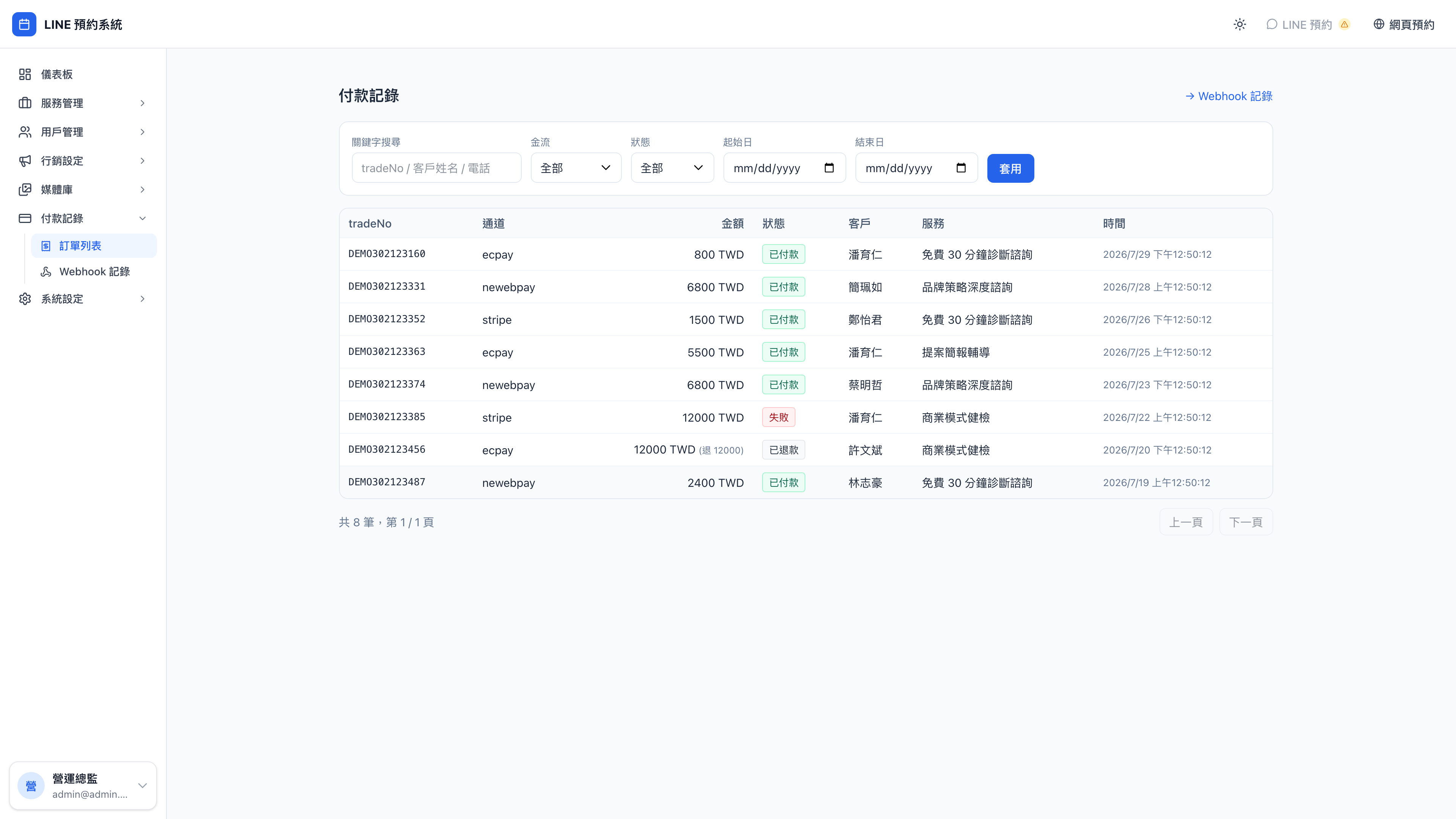
What's on a record
| Field | Meaning |
|---|---|
| tradeNo | The merchant order number generated by this system, up to 20 characters. Use it when reconciling against the payment provider's console |
| Provider | Which provider processed it: ecpay, newebpay, or stripe |
| Amount | The amount actually charged. Refunds append "refunded N" |
| Status | See the table below |
| Customer / service | Whose booking this money relates to |
| Time | When it was created; status change times are recorded separately on the back end |
What each status means
| Status | Meaning | What to do |
|---|---|---|
| Awaiting payment | The transaction exists but the client hasn't paid | It usually expires by itself; no action needed |
| Paid | Charged successfully; the booking is confirmed | No action needed |
| Failed | The bank or provider declined authorization | Read the failure reason and ask the client to use another card or method |
| Refunded | Fully or partly refunded | The amount column shows the original and the refunded amount |
Question: Why can't I find some bookings in payment records?
Because those bookings were for a free service, or points and tickets brought the total to zero. This page only records transactions where money actually moved. For every booking, see bookings.
Question: A client says they were charged but the booking wasn't created — how do I check?
- Search this page by the client's name or phone number and look for the tradeNo
- If it exists but the status is stuck at awaiting payment → the provider's callback never arrived; check the webhook log
- If there's nothing at all → the transaction was never created; ask the client to book again
Webhook log
Webhook log at the top right lists every callback the payment provider actually sent: the source, the matching tradeNo, when it arrived and how it was processed.
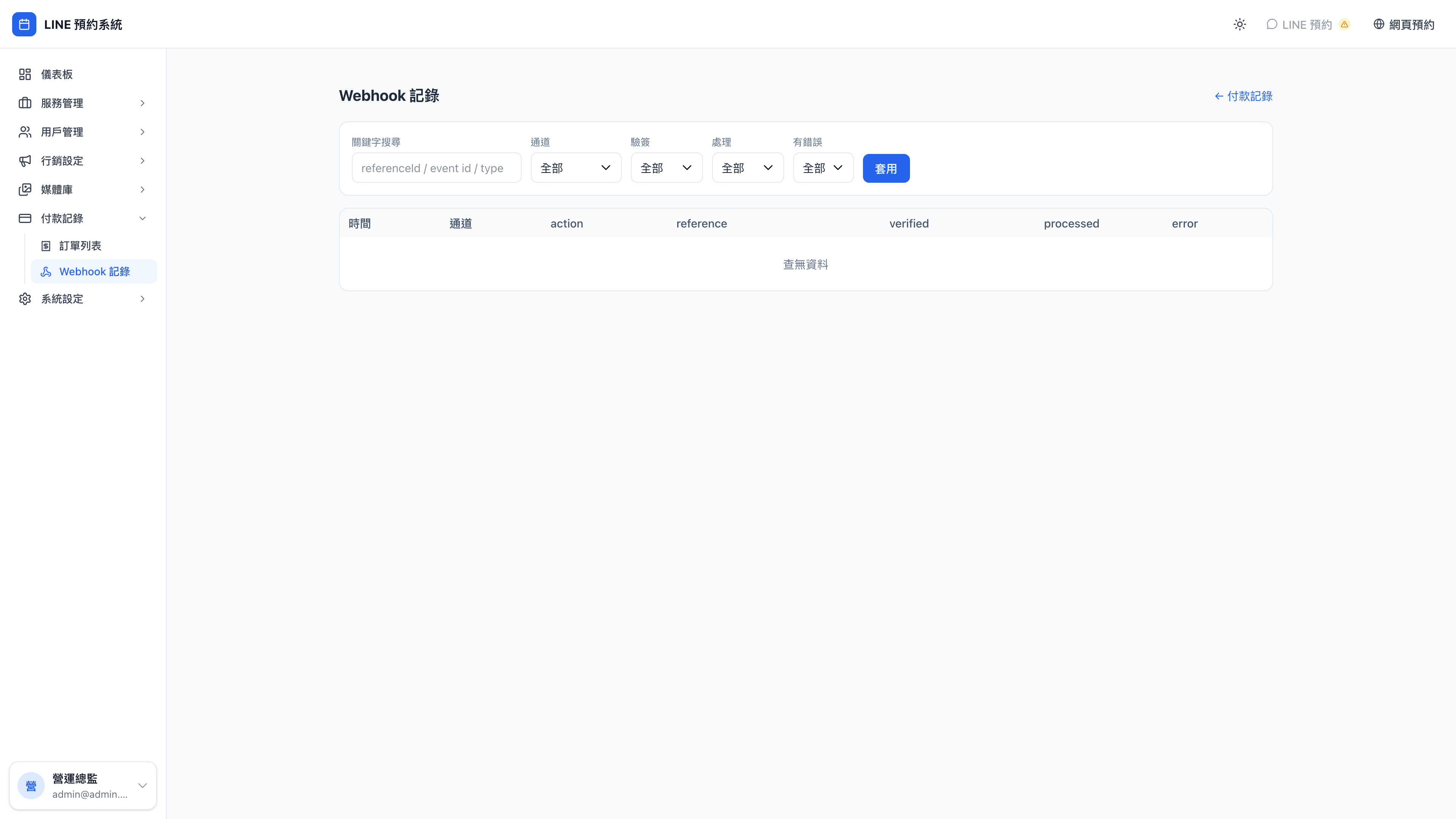
When the money at the provider and the status in the system don't line up, nine times in ten a callback wasn't received or failed to process. This page is the only place that proves whether they actually notified us.
Use case: a client complains about a double charge
Support at the consultancy Mingjing receives a message saying a client was charged twice. Her process:
- Search payment records by the client's phone number → two tradeNos for the same amount
- One has status failed, the other paid → so the first authorization failed and the client paid again
- Check the webhook log to confirm the failed one did receive a decline callback from the provider → that one was only an authorization hold and will never be captured
- Reply to the client: only one charge will settle; the other will be released automatically by their card issuer within a few working days
All without leaving the admin, and with no need to dig through the provider's console.
Payments must be connected first
This page only has data if a payment provider is connected. Configure it under System settings → Payment settings.