Web booking (no LINE required)
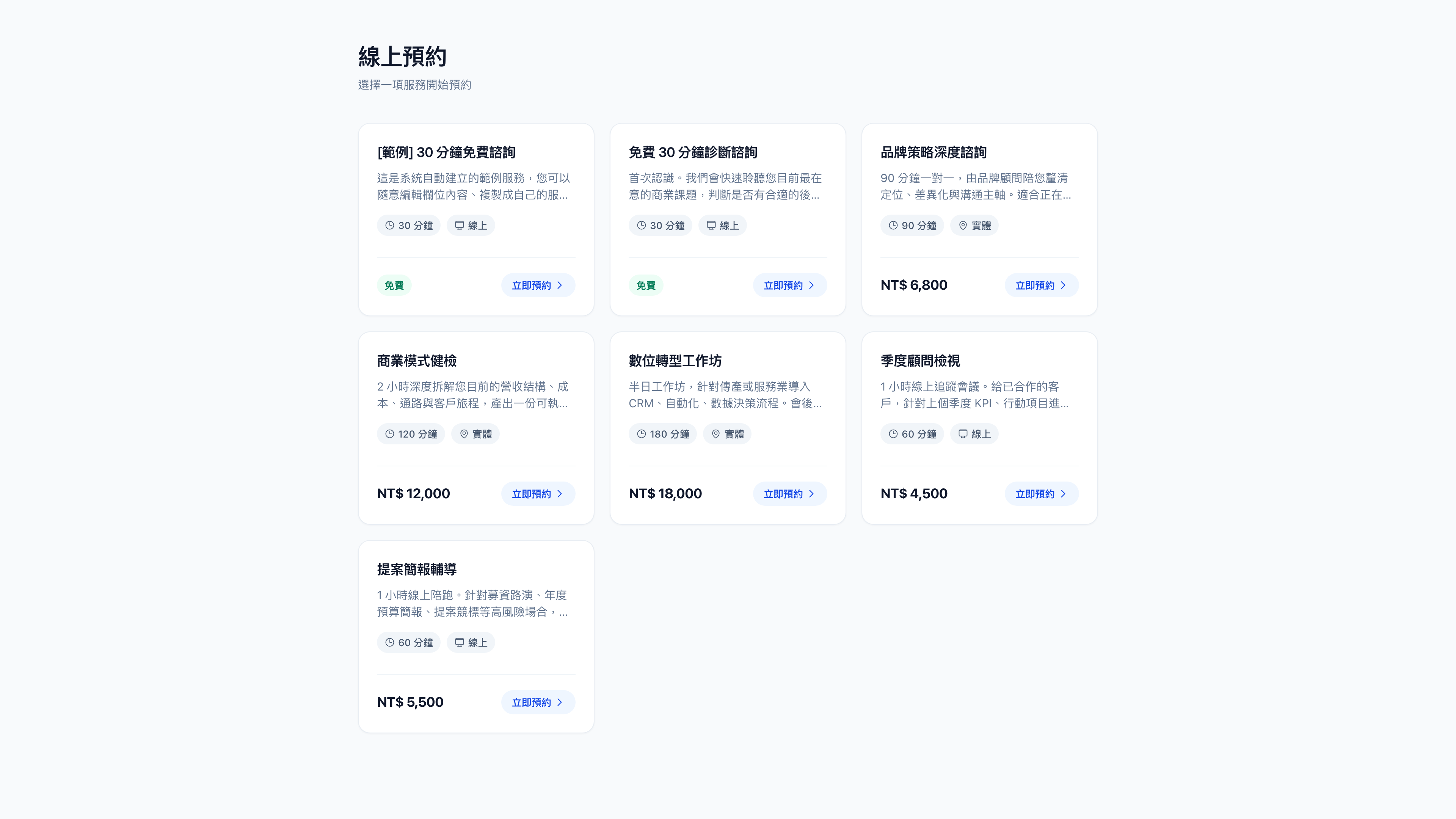
Alongside LINE, zenbu booking provides a pure web booking flow. Clients open a link and book, with no friend request and no LINE account.
When to use web booking
| Situation | Which to use |
|---|---|
| The client is already in your LINE Official Account | LINE — you can push reminders directly, with no email needed |
| They arrived from your website, a Google ad or an email list | Web — one less hurdle than adding you as a friend, so it converts better |
| Overseas clients, enterprise clients | Web — they may not have LINE at all |
Both share the same service configuration, the same availability and the same admin, and bookings from either land in the same bookings list. There's no second system to maintain.
What clients go through
- Choose a service — seeing the name, duration, price and description
- Pick a time — the calendar marks which days still have space; tapping a date expands that day's slots
- Choose a provider (where the service allows it)
- Leave their details — name, contact details, and any custom fields on the service
- Pay (for priced services)
- Receive confirmation — by email
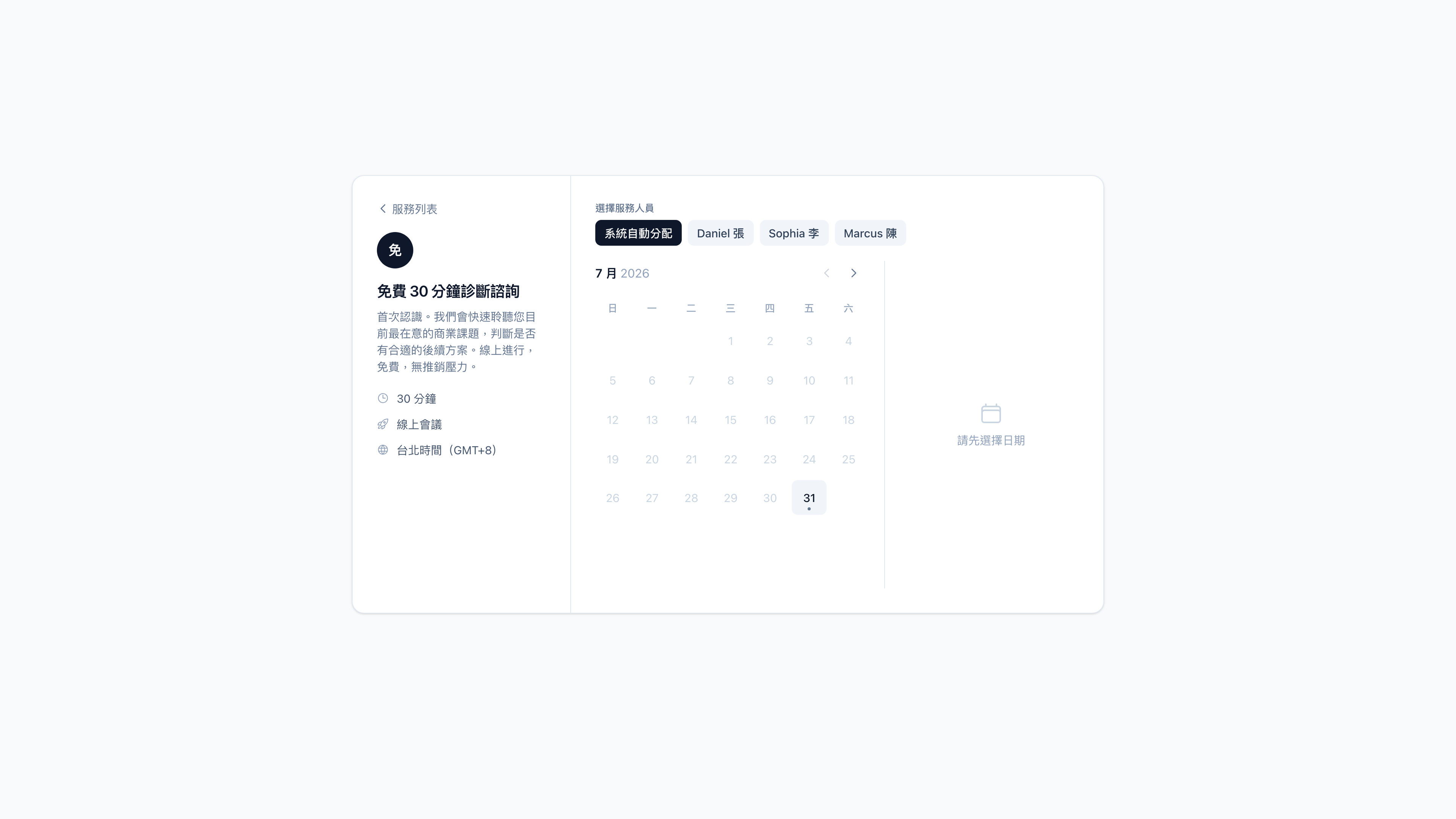
Only dates with availability are clickable. If the service lets clients choose a provider, the provider list appears first, and picking someone recalculates the calendar against their availability.
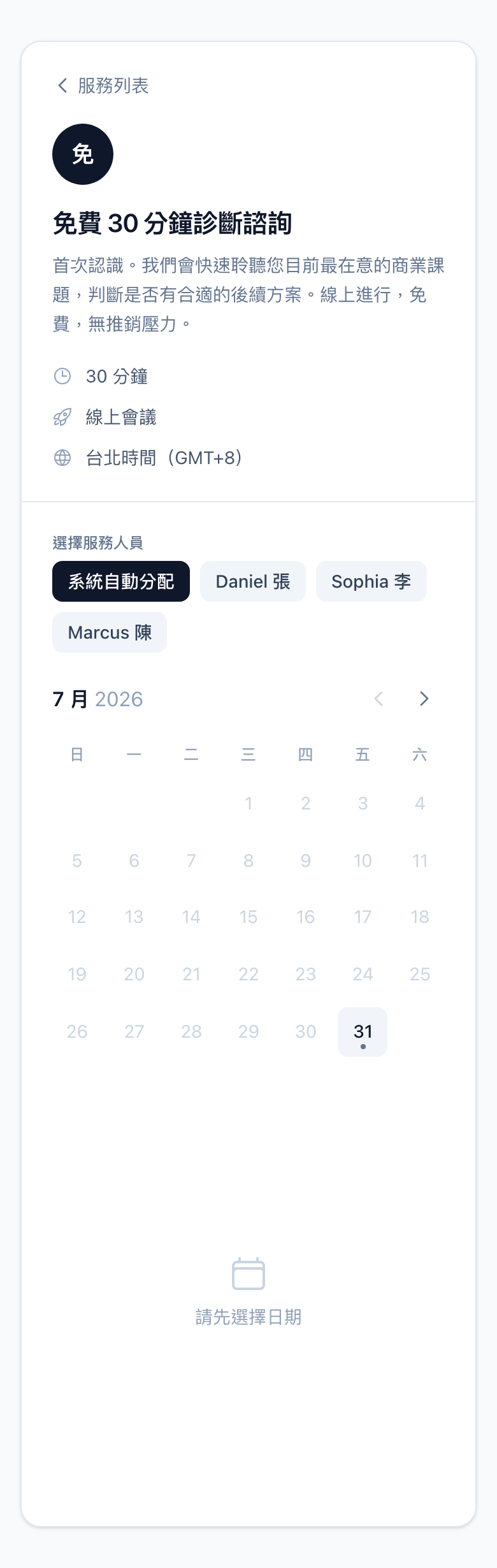
The flow is the same on mobile, with the layout collapsing to a single column:
| Service list | Picking a time |
|---|---|
 |  |
Question: Do web-booking clients still receive reminders?
Yes, but by email rather than LINE. Every rule under automated reminders lets you choose the channel; set it to email and web-booking clients receive it.
Question: If a client books on the web and later adds me on LINE, do they become two people?
The system matches on contact details (email or phone). Where it matches, they're merged into one customer and their past bookings come with them. Where it doesn't, they remain two records, which you can reconcile by hand under customers.
Getting the links
Under services, press Link on any service and you get both:
- The LINE booking link (
liff.line.me/…) — works both inside LINE on a phone and in a desktop browser - The web booking link (
/book/<service id>) — bypasses LINE entirely
Use case: one link, two kinds of client
The consultancy Mingjing puts the LINE booking link behind the "Book a consultation" button on its website. People on phones complete the booking inside LINE and become Official Account friends along the way; people on computers see exactly the same calendar in their browser.
Its email newsletter uses the web booking link instead — subscribers mostly read on a desktop, and removing the add-friend step noticeably raises the completion rate.