Settings overview
Settings is the entry point for everything configured at site level, across nine tabs. Each tab has its own detailed page.
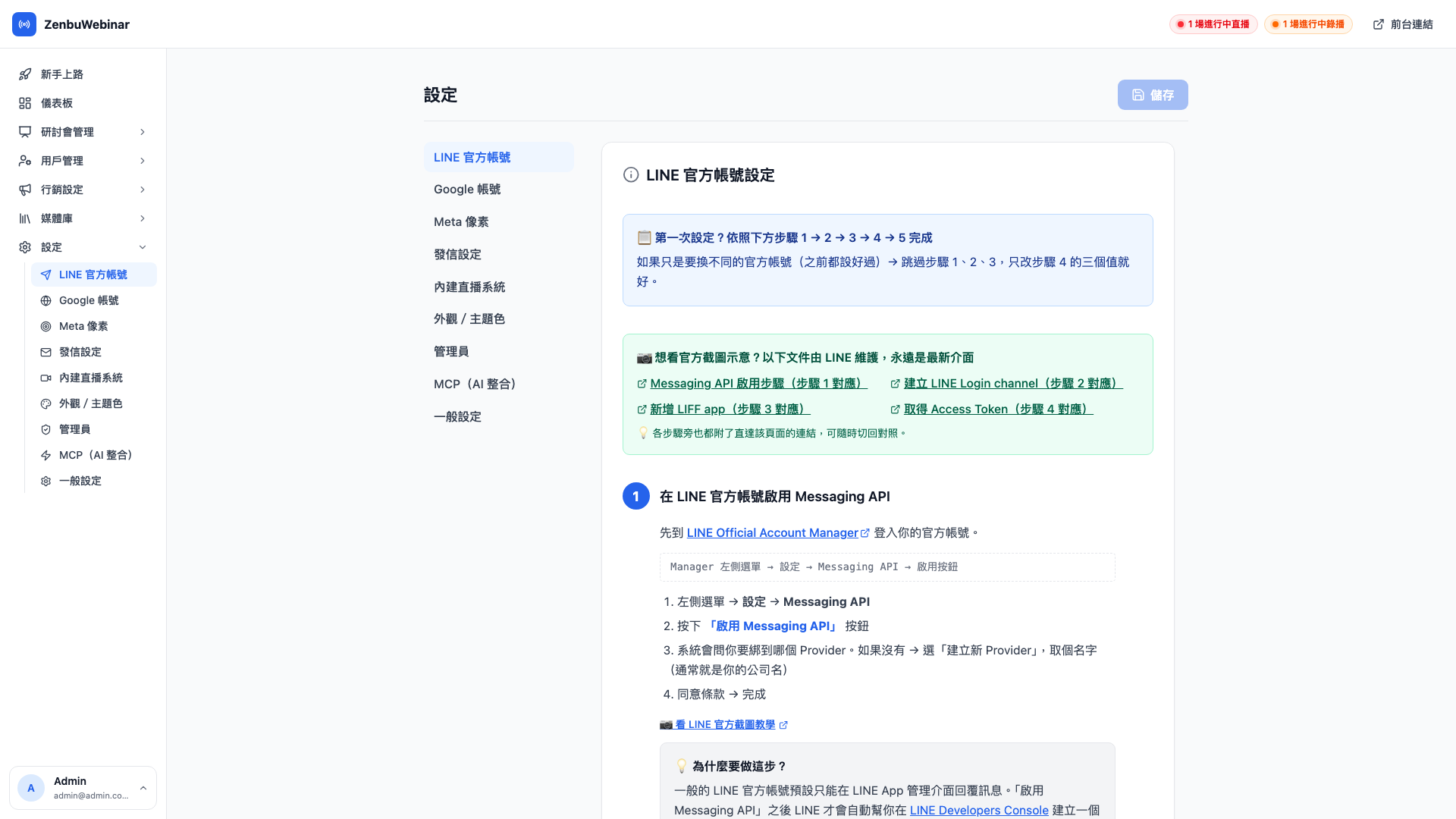
The nine tabs
| Tab | Purpose | Detail page |
|---|---|---|
| LINE Official Account | LIFF ID / Channel Access Token / Secret | (this page) |
| Google account | One authorization covering YouTube and Meet | Google account |
| Meta Pixel | Facebook / Instagram ad tracking | Ad tracking events |
| Email sending | Custom sender, domain DNS, From name | Email sending |
| Built-in streaming | LiveKit streaming toggle and usage quota | Built-in streaming |
| Appearance & theme color | Site-wide brand color, light/dark preference | Appearance & theme color |
| Admins | Adding and removing admins, permission levels | Admins |
| MCP (AI integration) | A personal token letting AI tools connect to the admin | MCP personal token |
| General settings | Brand name, logo, desktop add-friend guidance text | General settings |
LINE Official Account (this tab)
This is the core of zenbu webinar's integration with the LINE platform. What you enter here are the connection details for your LINE Official Account.
| Field | Where to get it | What it's for |
|---|---|---|
| LIFF ID | LINE Developers → your LIFF App → LIFF ID | Identifies the LIFF used by the signup page |
| Channel Access Token | LINE Developers → Messaging API → Channel Access Token | Sending LINE messages (reminders, automation flows) |
| Channel Secret | LINE Developers → Basic settings → Channel secret | Verifying LINE webhook signatures |
Note: get any of these three wrong and the whole system stops working
- Wrong LIFF ID → users tapping the signup link get a blank screen or an error
- Wrong Channel Access Token → the system can send no LINE messages at all (reminders and automation flows all fail)
- Wrong Channel Secret → add-friend and unfriend events can't be received
After configuring these for the first time, it's strongly worth:
- Running the full signup flow with a test account
- Adding and removing yourself as a friend to confirm the webhook is received
- Waiting for one automated message and checking that its timing is right
Five minutes of verification saves days of support tickets later.
Question: What is LIFF?
LIFF (the LINE Front-end Framework) is LINE's own technology. In plain terms, it puts a web page inside the LINE account permission system.
The page a user opens when they tap your signup link — whether in the LINE app or a browser — can do more than an ordinary web page:
- It can find out who they are on LINE (userId, display name, avatar)
- It can interact directly with your LINE Official Account (sending messages, adding as a friend)
- It works on both desktop and mobile (see the desktop flow)
Question: Can one LINE Official Account serve several zenbu webinar back ends?
Technically yes, but it isn't advisable. One Channel Access Token used by two systems at once can lead to webhook events being stolen from each other, and message sends being billed twice.
If you have several brands to manage separately, the recommendation is a separate LINE Official Account and a separate zenbu webinar admin per brand.
A suggested order for first-time setup
Following this order keeps you unblocked:
- General settings — change the brand name and upload a logo (so the admin looks like yours the moment it opens)
- Appearance & theme color — pick a primary color, applied across the LIFF signup pages
- LINE Official Account — fill in the three required fields so LIFF and messaging work
- Google account — only needed for YouTube or Meet
- Built-in streaming — only needed if you want to use Zenbu's own streaming
- Email sending — only needed for a custom email sender
- Admins — invite your colleagues
- Meta Pixel — only needed for ad remarketing
- MCP — only needed to connect Claude or ChatGPT
The first three are required; 4–9 depend on which features you actually want.