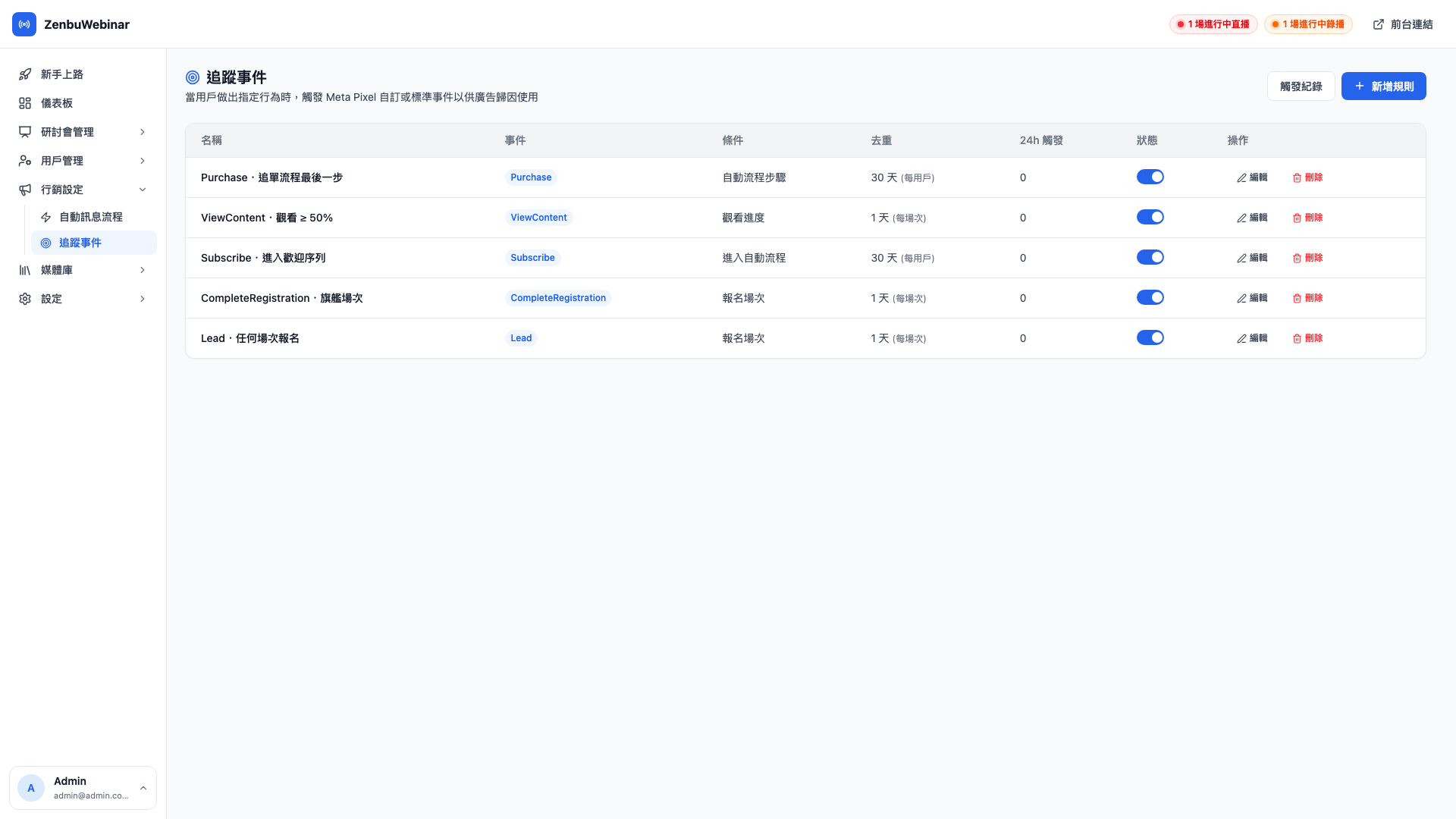
Ad tracking events
Send what people do on your site (signing up, finishing a video) back to Meta automatically, for remarketing and campaign learning.
What is this, and why do I need it?
Say you're running Meta ads (Facebook / Instagram) to bring strangers to sign up for your stream.
Meta needs to know: which of your ads actually produced a signup?
For that to happen, something has to tell Meta at the moment someone signs up successfully. That is what a tracking event does.
Use case: twice the signups on the same ad budget
You run two ads with $1,000 behind each.
Without tracking events: all you know is "$2,000 spent, 80 signups received", with no idea which ad did the work.
With tracking events configured: Meta knows ad A produced 60 signups and ad B produced 20. You put the whole budget behind A, and next month the same $2,000 might produce 120.
Setup in three steps
Step 1: fill in your Meta Pixel details under Settings
Go to Settings → Meta Pixel:
- Pixel ID — the string of digits from your Meta Business Suite
- Server-side event token — used to send events from the server, which is more reliable than the browser
- Test event code — for your own testing; it doesn't affect live campaigns
Then turn Enable on. Without it, none of the rules below actually send anything.
Question: Where do I get the Pixel ID and token?
Both are in Meta Business Suite (business.facebook.com):
- Open Events Manager
- Find your Pixel (create one first if you don't have one — it's free)
- The Pixel ID is written next to the Pixel's name; copy it
- The CAPI token is under the Pixel's Settings → Conversions API → Generate access token
If an agency runs your advertising, you can simply ask them for both values.
Step 2: add a tracking rule
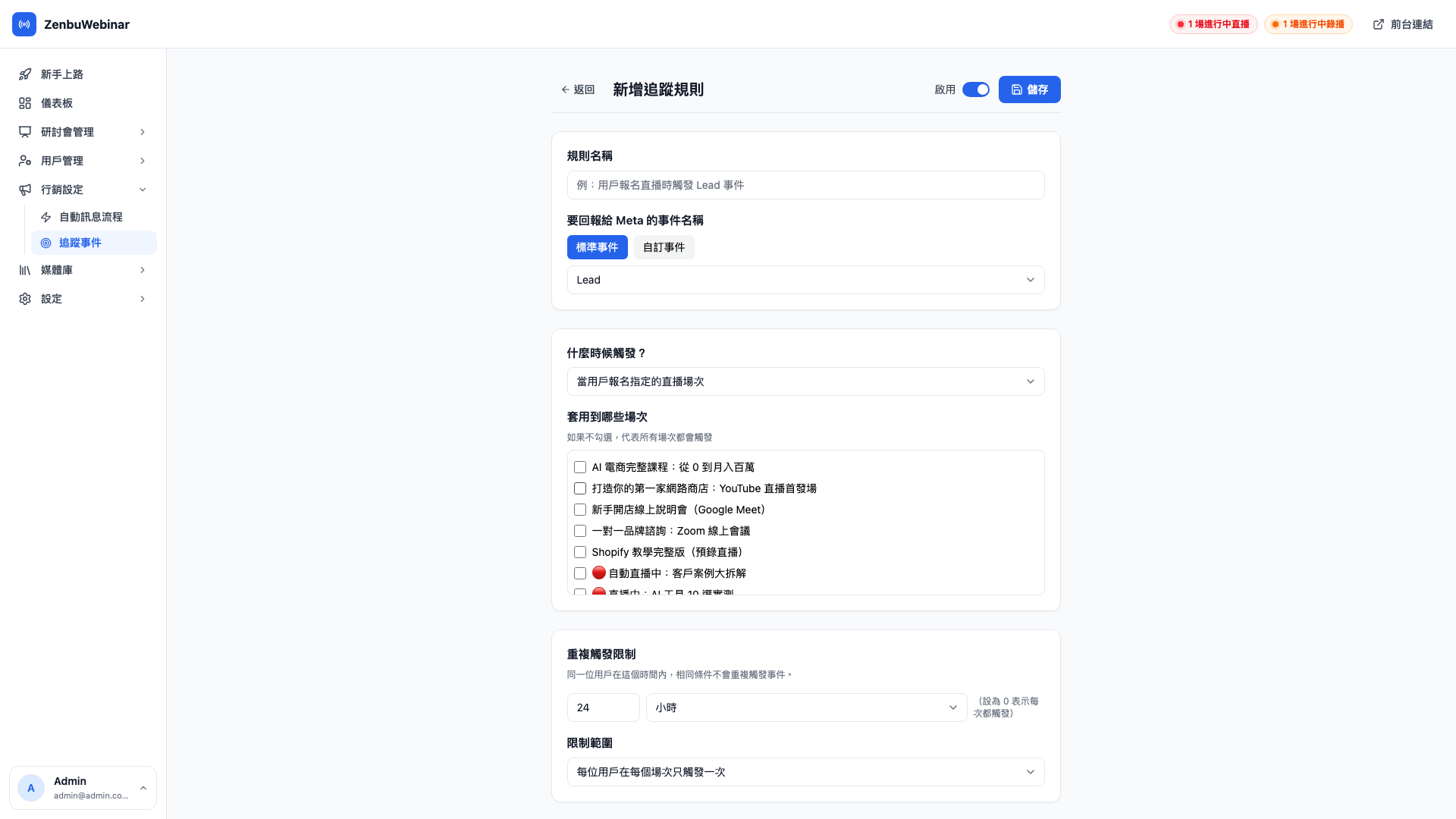
Each rule maps "when this condition occurs → send this event to Meta". Common ones:
| Condition | Event to send | Purpose |
|---|---|---|
| Someone signs up | Lead | Counted as a conversion, used for ad optimization |
| Watched 80% | ViewContent | Identifies the genuinely interested |
| Signed up for 3 or more sessions | Custom event HighIntent | Run a stronger campaign at this group |
Step 3: check that events are arriving
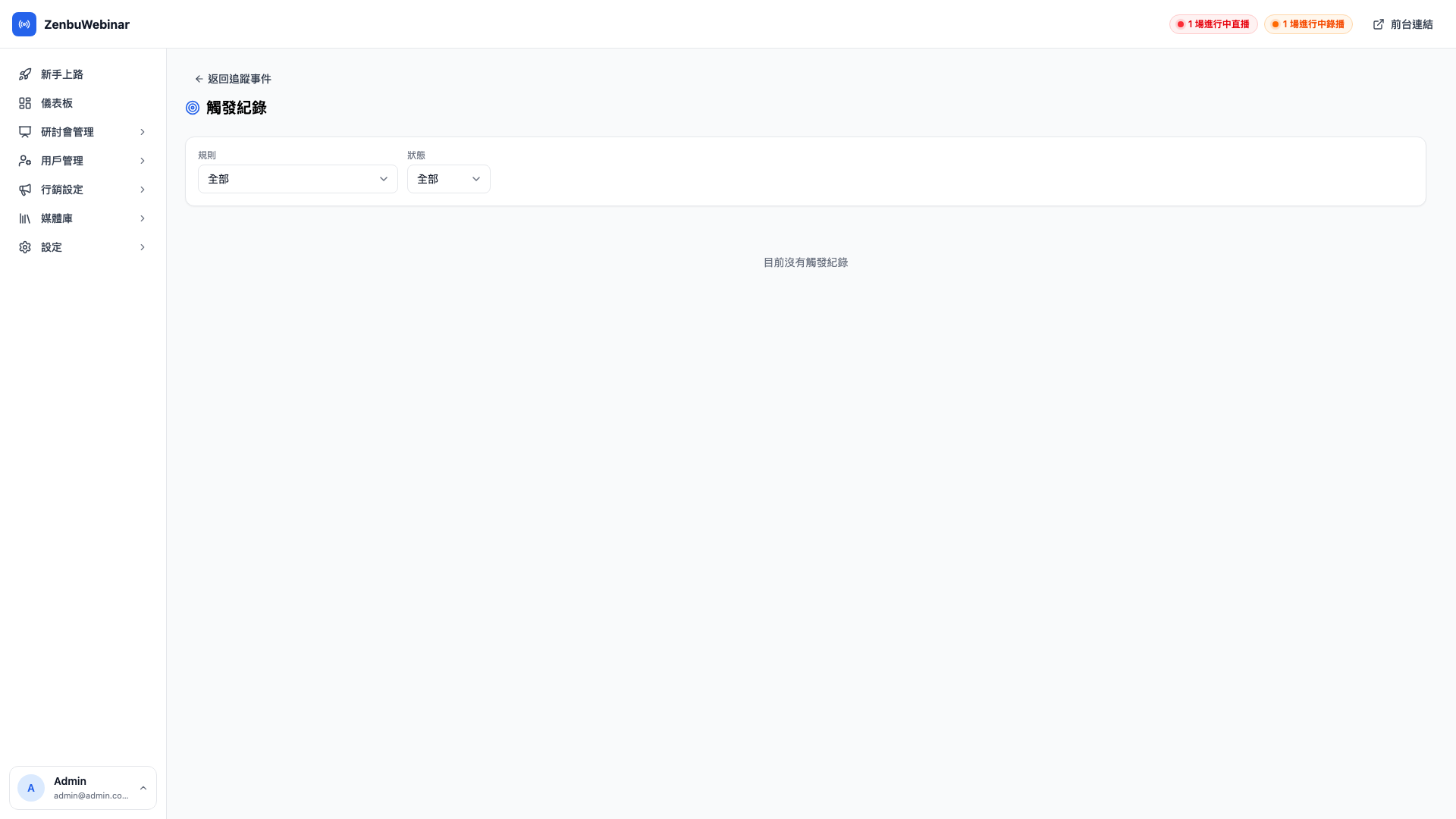
Once rules are configured, click into any of them to see the send log. Every time a condition fires, a record is kept:
| Status | What it means |
|---|---|
| Success | Meta received it |
| Skipped (deduplicated) | The same user fired it again within the window, so it was skipped to avoid inflating the numbers |
| Failed | It was sent but Meta returned an error — usually a wrong Pixel ID or token |
The condition types in detail
| Condition | When it fires |
|---|---|
| Completed a signup | Any user completes a registration |
| Reached a watch threshold | On watching N% of a video (you set the percentage — 80%, say) |
| Reached a cumulative signup count | The same user has now signed up for N sessions |
| Added as friend | The moment someone adds your LINE Official Account |
| Received a specific tag | Name a tag, and the event fires when a user receives it (combine with automatic tags for a precise funnel) |
| Entered an automation flow | A user enters a given message automation flow |
| Reached a step in a flow | A user reaches step N of a given flow |
Use case: using "added as friend" as the funnel's entry event
The key to ad optimization is which behaviors Meta can treat as a conversion signal. "Added as friend" is the very top of a LINE funnel, and sending it back to Meta means:
- Meta knows exactly who clicked your ad and then added you
- The ad system actively seeks out people who resemble that group
- Your cost per friend added drops noticeably
Use case: high-intent remarketing driven by a tag
In the admin you configure "watched 80% of a course + signed up for more than 2 sessions → automatically tag as 'high-intent student'". Then in tracking events you configure "tagged 'high-intent student' → send the custom HighIntent event to Meta".
Running a targeted sales campaign at that group gives a far lower CPA than blanketing your whole friend list.
What is deduplication?
Say someone signs up for the same session three times (maybe they misclicked). You'd want Meta to receive one Lead event, not three. That's deduplication.
Each rule can set:
- Deduplication window — how long counts as a repeat (24 hours by default)
- Deduplication scope:
- Per user — this user fires it once in 24 hours, regardless of session
- Per user × session — the same user counts once per session, but different sessions count independently
Question: How do I choose?
Lead(signup) → use per user × session. Signing up for different sessions should count separately.HighIntent→ use per user. This is a property of the person, not of a session.
Browser-side vs. server-side — why send both?
Meta supports two ways of sending events:
- Browser-side (Pixel) — sent directly from the user's browser. The most intuitive, but blocked by iOS 14+ and ad blockers.
- Server-side (CAPI) — sent from your server. Stable and reliable, with nothing to block it.
Turning both on is best. Meta uses the event ID to recognize that they're the same event, so nothing is double-counted. If either side fails to deliver, the other covers for it.