Split links
One LIFF entry point where people from different sources see different sessions — and signups are attributed to the link they arrived through.
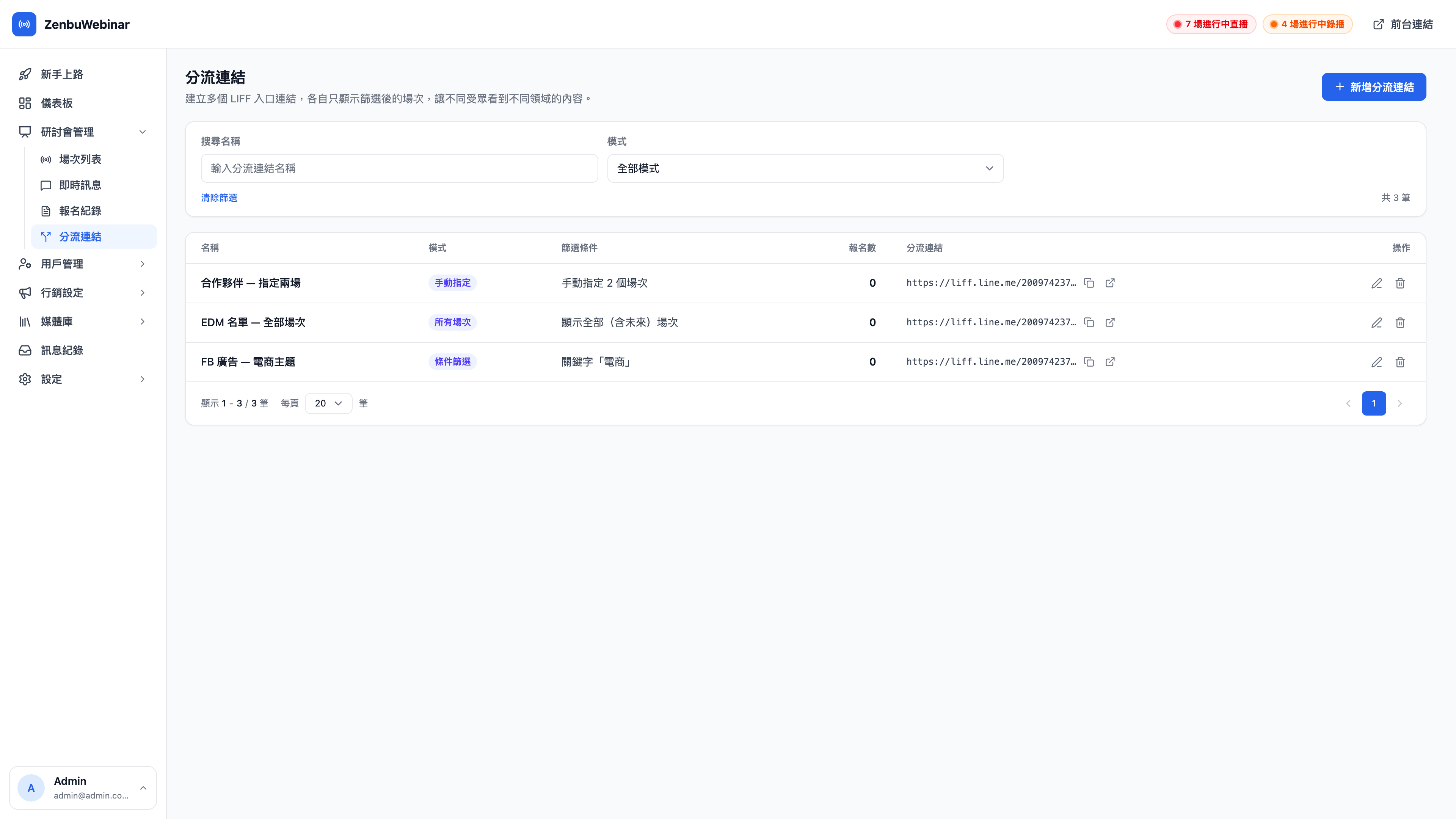
Why split at all?
If every ad, email campaign and partner shares one signup link, you hit two problems:
- Everyone sees the same thing — someone arriving from an e-commerce ad is shown a pile of parenting sessions that mean nothing to them
- You can't measure anything — 100 people signed up, and you have no idea which came from advertising and which from a partner
Split links solve both at once.
Three modes
| Mode | How it decides which sessions to show | When to use it |
|---|---|---|
| All | Shows every future session | Email campaigns, a general entry point on your website |
| Filtered | Matches a keyword against session names, or restricts by stream type | Ads split by topic (the keyword "e-commerce" shows only e-commerce sessions) |
| Manually chosen | You pick exactly which sessions to show (occurrences included) | Partner-specific links, limited-run campaigns |
Question: What does the filter keyword match against?
The session name only, case-insensitively. So if you name sessions to a convention (all starting "E-commerce Automation:", say), splitting is easy to configure. You can add a stream type allowlist on top; the two conditions are combined with AND.
Creating a split link
- New split link, top right
- Give it a name (for your own reference — "FB ads — e-commerce topic")
- Give it a slug (this becomes
?c=<slug>on the URL; alphanumeric is recommended) - Choose a mode and configure the conditions
- Save, then copy the generated LIFF link
The signups column in the list is the number of people who came through that link.
Use case: tracking three sources separately
Cheng-han is running three channels at once:
- FB ads use filtered mode with the keyword "e-commerce" → the ad audience sees only the four e-commerce sessions
- Email to the existing list uses All mode → subscribers see every session and choose for themselves
- A partner uses manually chosen mode with two sessions → the partner's audience sees only the co-branded sessions they agreed on
At the end of the month the signup counts tell you the ads brought 62 people, email brought 88 and the partner brought 15 — with no UTM tagging required.