Message logs
Every LINE message and email the system sends leaves a record, successes and failures alike. When a customer says "I never got a reminder", start here.
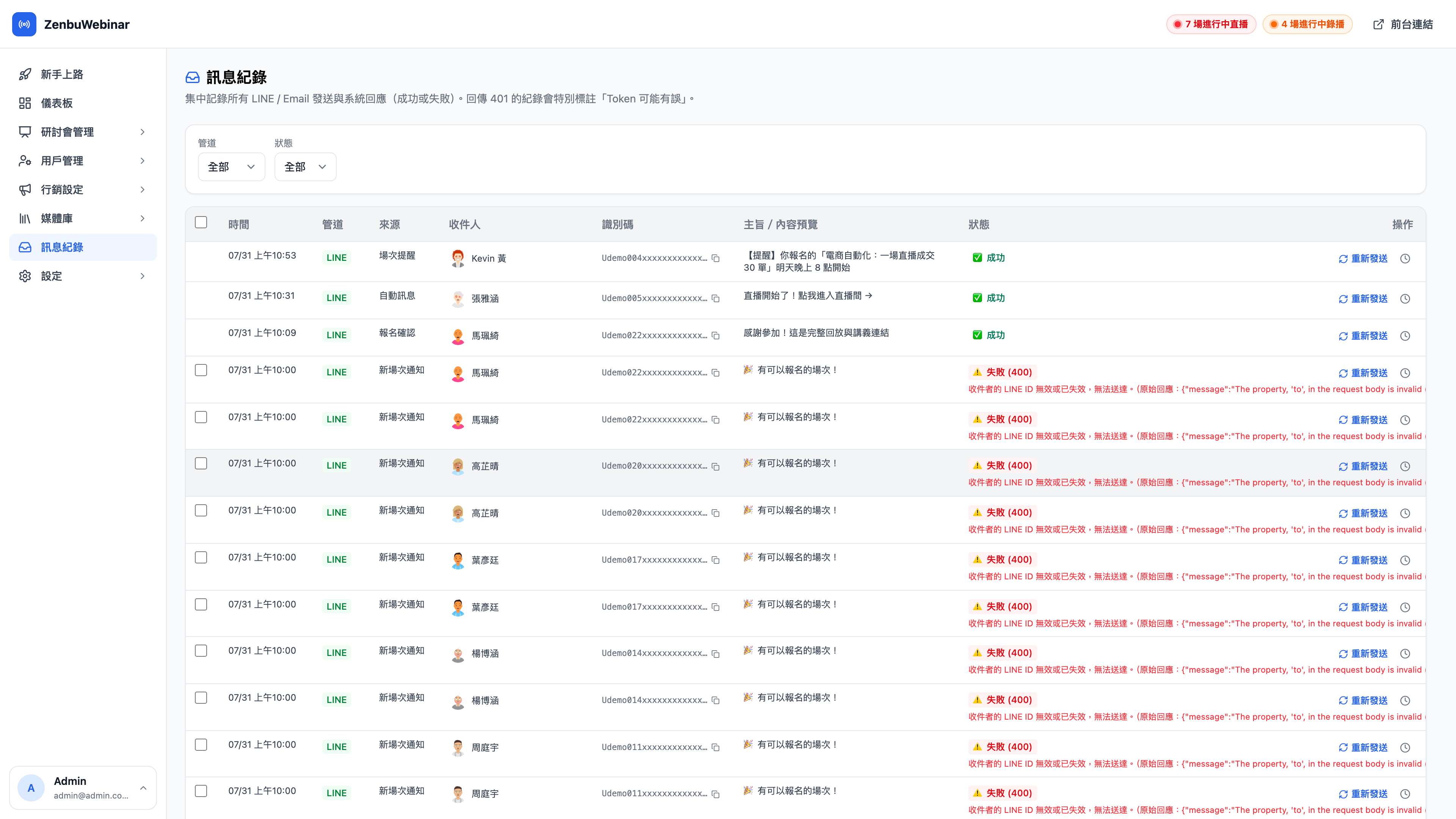
What's on a row
| Field | Notes |
|---|---|
| Channel | LINE or email |
| Source | What triggered it: a session reminder, message automation, signup confirmation, a manual send, or the system |
| Recipient | The LINE user or email address |
| Identifier | The LINE userId (copyable, for cross-referencing against the LINE console) |
| Subject / preview | The opening of what was sent |
| Status | Success, or failure with the HTTP status code and the raw response |
Common failure reasons
| What you see | What it means | What to do |
|---|---|---|
| 401 | The LINE Channel Access Token is invalid or wrong | Re-enter it under Settings → LINE Official Account. The system flags these records specifically as "token may be wrong" |
| 400 | The recipient's LINE userId is invalid | Usually they blocked your Official Account or removed you as a friend; there's no remedy |
| 429 | Over LINE's send quota | Wait for the quota to reset, then use Resend |
Question: Can failed messages be sent again?
Yes. Every row has a Resend action on the right. The system retains the complete original payload only on failure, precisely so you can send it again unchanged later (once your monthly quota resets, for instance).
Question: Why does one person have several identical-looking records?
Because different sources triggered them — a signup confirmation when they registered, a session reminder an hour before the stream, and a follow-up from a message automation flow. Three records is normal. The source column tells them apart.
Finding the problem quickly
Two filters sit at the top: channel (LINE / email) and status (success / failure). When investigating, filter to failure and you'll see at once whether it's systemic (usually an expired token) or isolated (individual users who blocked you).